
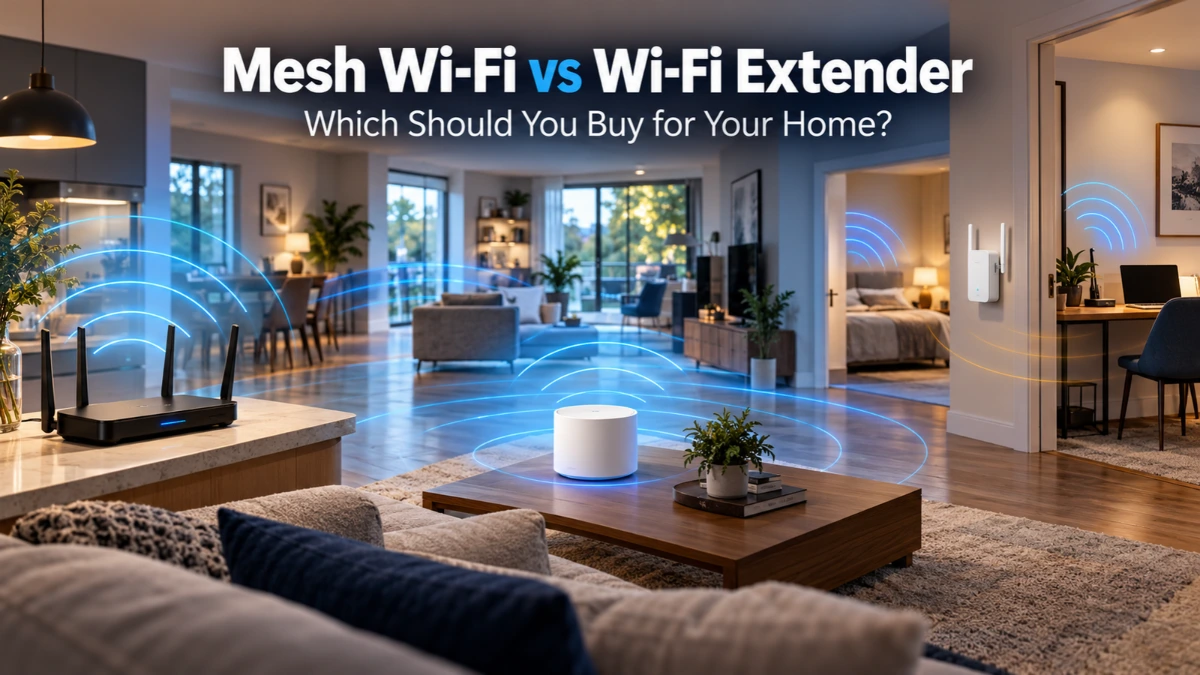
Quick Answer
Choose a Wi-Fi extender if your current router works well almost everywhere and you need a lower-cost fix for one room. Choose mesh Wi-Fi if several rooms or floors have weak coverage, devices move around the house, or your household needs a more coordinated network. Choose a wired access point instead if you can run Ethernet to the weak area and want a reliable connection without wireless relay overhead.
Neither product makes a slow internet plan faster. Both help distribute the connection you already pay for. Before buying, check whether poor router placement, a crowded Wi-Fi channel, or a weak internet connection is the real problem.
Mesh Wi-Fi vs. Wi-Fi Extender: At a Glance
| What matters | Wi-Fi extender | Mesh Wi-Fi |
|---|---|---|
| Best fit | One isolated dead zone | Several rooms, floors, or moving devices |
| Upfront cost | Usually lower | Usually higher |
| Existing router | Usually keeps it; features vary | Often replaces routing or works in access-point mode |
| Network name | Can be separate or shared; model-dependent | Typically one coordinated SSID |
| Roaming | Basic extenders may require manual switching; mesh-compatible models can improve this | Often offers coordinated roaming assistance; client decides when to roam |
| Wireless speed | Relay link can reduce throughput | Also depends on node placement and shared or dedicated backhaul |
| Ethernet option | Some models support access-point mode | Many systems support wired backhaul; verify exact model |
What Is a Wi-Fi Extender?
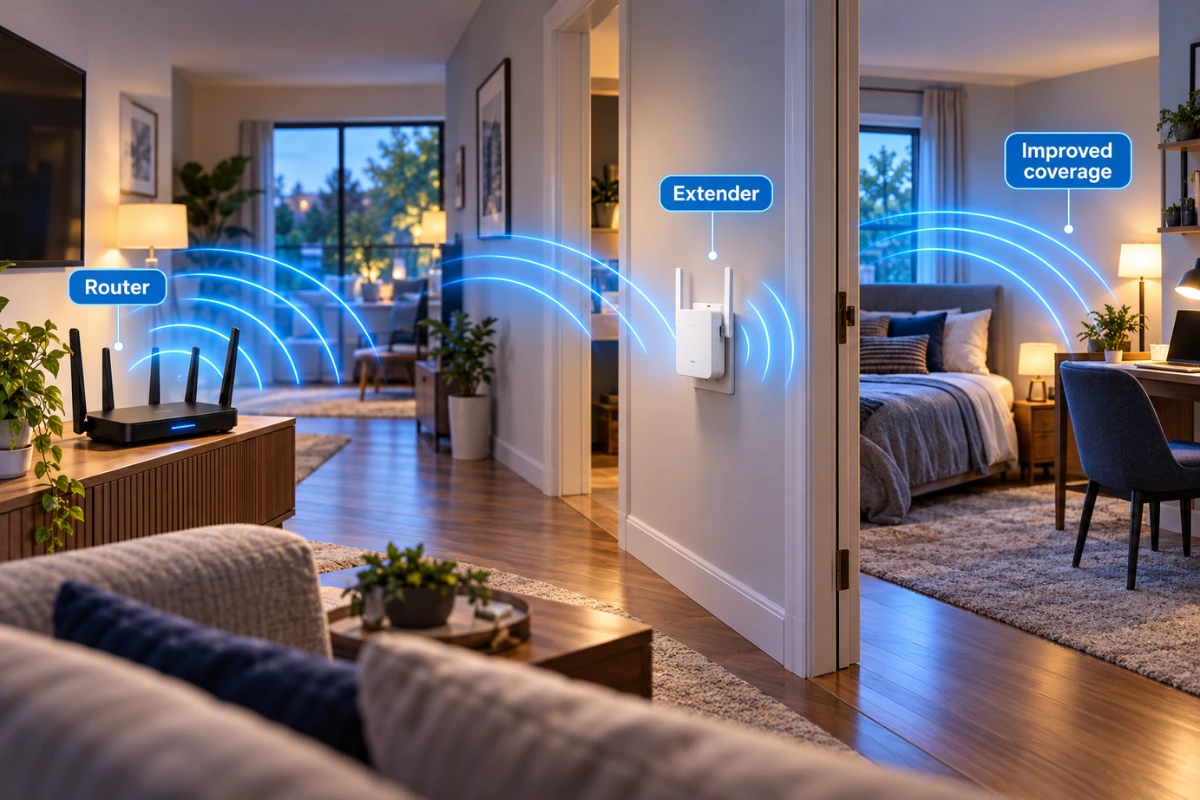
A range extender receives a Wi-Fi signal from your router and retransmits it toward an area with weak reception. The appeal is simple: keep your existing router, add one device, and avoid paying for an entirely new network.
Placement makes or breaks the result. Put the extender somewhere that already gets a reasonably strong router signal, not at the far end of the dead zone. If its upstream connection is weak, the extra bars shown on your phone can be misleading: your phone sees the extender, but the extender is still struggling to reach the router.
Some extenders broadcast a second network name; others support the same name or coordinated features such as EasyMesh. Check the exact router, extender, hardware version, and firmware instead of assuming every extender behaves alike.
What Is Mesh Wi-Fi?

A mesh kit uses a primary router or gateway and one or more satellite nodes to cover more of your home. Compatible nodes coordinate configuration and may assist devices moving between coverage areas. That is useful when a laptop moves from an upstairs office to the living room or multiple devices regularly use different parts of the house.
Mesh is not magic. A satellite placed too far from the primary unit still has a weak link. A cheaper dual-band mesh kit can also share Wi-Fi airtime between users and node-to-node traffic. Premium features are helpful only when the home’s layout and connection demands justify them.
One Dead Zone or Multiple Rooms? Choose by Your Home
One bedroom or home office has weak Wi-Fi
First move the router into a more open, central location if possible. If only one nearby room remains weak and your main router is otherwise reliable, start by comparing a compatible extender with a wired access point. Replacing a healthy whole-home network for one dead spot is often unnecessary.
Two floors or several distant rooms struggle
A mesh system becomes more compelling if you can position nodes between the primary router and weak areas. Avoid placing every node in the rooms with the worst existing reception. Thick masonry walls, metal obstacles, and long distances can still make Ethernet backhaul the better solution.
You rent and cannot run Ethernet
A plug-in extender might be the least disruptive purchase for one area. For several weak rooms, a thoughtfully placed wireless mesh kit is easier to relocate than a permanent cable installation. Measure your actual signal before purchasing either.
You have Ethernet between floors
Consider a wired access point, or a mesh system with confirmed Ethernet backhaul support. The cable handles traffic between locations, leaving more Wi-Fi airtime for phones, tablets, and laptops.
Speed, Gaming Latency, and Backhaul: The Detail That Matters
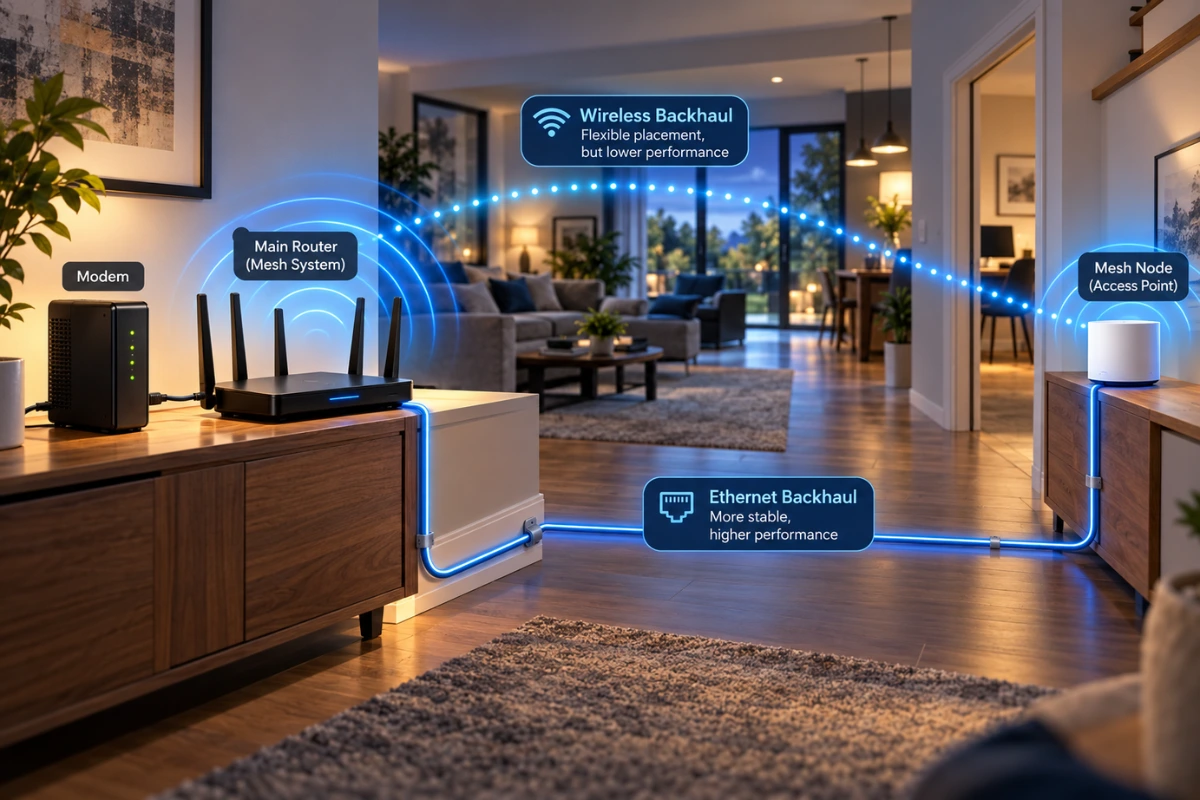
Backhaul is the connection that carries traffic from an extender or mesh node toward your main router. With a wireless relay, traffic spends airtime reaching the relay and then going onward. Some single-radio designs can lose substantial throughput because they must receive and retransmit on the same channel. Other designs use separate bands or dedicated radios, so blanket claims like “every extender cuts speed in half” are not accurate.
A dual-band mesh system without a dedicated backhaul radio faces similar wireless airtime limitations. A tri-band system with a dedicated backhaul radio may preserve more capacity, but distance, interference, channel width, and actual hardware still matter. Ethernet backhaul removes that particular wireless relay link and is often the most dependable option.
For online gaming or video calls, test latency and packet loss, not only a download speed result. A stable wired connection to the gaming device is preferable when practical. Buying the most expensive mesh kit won’t fix latency caused by your internet service.
Will Mesh Work With Your Existing ISP Router?
Often, but the setup matters. If the mesh kit becomes the main router while your ISP gateway is still routing, you can accidentally create double NAT. Depending on hardware and provider settings, you may prefer the mesh system’s access point mode or your ISP gateway’s bridge mode. Check whether these modes are supported before making changes.
Don’t assume mixed-brand routers and extenders automatically form a coordinated mesh. EasyMesh support can help, but compatibility, firmware, and Ethernet-backhaul features vary by product. Even two products bearing similar marketing labels may not support every feature together. Review the maker’s model-specific compatibility list.
What About a Wired Access Point?
If Ethernet already reaches a hallway, upstairs room, or detached office, a wired access point deserves a place on your shortlist. It provides Wi-Fi locally while using the cable for the network connection. That can outperform a poorly positioned wireless repeater without requiring an expensive multi-node mesh bundle.
A second router in access-point mode can sometimes serve the same purpose, but setup and network management will depend on the devices. Avoid running two independent routers with overlapping DHCP and NAT configuration unless you intend to separate networks.
Five Checks Before You Spend Money
- Test next to the router: Confirm speed and reliability are good when you are close to it. If not, troubleshoot the service or router first.
- Walk the dead zones: Note which rooms lose signal and which still have usable coverage. One dead spot points to a different purchase than an entire weak floor.
- Try better placement: Raise the router, keep it in the open, and avoid hiding it behind a TV or inside a cabinet.
- Check your wiring: Existing Ethernet or coax may open up a more stable solution than a wireless relay. Coax-based MoCA requires compatible wiring and hardware.
- Verify exact capabilities: Look for access-point mode, wired-backhaul support, mesh interoperability, available Ethernet ports, and the hardware version you are buying.
Which Should You Buy? The Practical Verdict
Buy an extender when one room has weak reception, the existing router meets your needs, and a properly placed relay offers acceptable speed. Buy mesh when coverage issues are spread across the house and you want a coordinated network that can scale across rooms. Use a wired access point when you have Ethernet and prioritize consistent performance. Buy nothing yet if testing suggests the real issue is poor placement, congestion, or your internet service.
For another smart-home networking decision, see our Matter over Wi-Fi vs. Thread comparison. If your smart-home devices stopped responding after a router change, our Matter troubleshooting guide covers that different problem.
Frequently Asked Questions
Is mesh always faster than an extender?
No. Performance depends on radio design, available spectrum, distance, placement, and backhaul. A wired access point can be better than either wireless option.
Can a Wi-Fi extender use the same network name?
Yes, on certain models and setups. A matching network name alone does not guarantee smooth handoff; roaming assistance and device behavior also matter.
Do I have to replace my ISP router for mesh?
Not always. Many mesh products can operate in access-point mode behind an ISP gateway, but exact features vary. Review bridge mode, access-point mode, and double-NAT implications before changing your network.
Should I put an extender in the room with no signal?
Usually not. Put it in a location where it can still receive a reliable connection from the router while reaching toward the weak room.
Is Wi-Fi 7 necessary to fix dead zones?
No. Coverage layout, backhaul, and placement matter more than a newer Wi-Fi label. Buy newer hardware when your devices, internet speed, and use cases justify the added cost.
How We Researched
We reviewed manufacturer technical guidance on repeaters, mesh networks, EasyMesh compatibility, wired backhaul, and access-point alternatives. Sources include TP-Link’s mesh-versus-extender explainer, its coverage-options support guide, EasyMesh compatibility guidance, and NETGEAR’s comparison. GadgetStick did not conduct controlled in-home throughput or latency tests for this article. Specific capabilities should be confirmed on the exact product and firmware version before purchase.
Final Answer
Don’t buy mesh simply because it sounds more advanced. For a single dead zone, a well-placed compatible extender can be the smart, lower-cost fix. For several rooms or floors, a properly designed mesh network is usually easier to manage. If you can run Ethernet, compare a wired access point or mesh with Ethernet backhaul before spending more on wireless hardware.
