

A good Plex NAS is not simply the one with the fastest processor or the most drive bays.
The right choice depends on what happens after you press Play.
If your TV, streaming box, or phone supports the original video, Plex may Direct Play the file with very little server work. If Plex has to change the codec, resolution, bitrate, audio, or subtitles, the NAS can suddenly face a much heavier transcoding workload. If playback becomes slow only after turning subtitles on, see our guide to troubleshooting Plex buffering with subtitles before assuming you need a faster NAS.
Storage planning matters just as much.
A two-bay NAS can be perfect for a smaller media library but frustrating if you start collecting large 4K files. An eight-bay NAS provides enormous room to grow, but it can be expensive overkill for a normal household.
For this guide, we compared seven NAS systems around the things that actually matter for Plex: media capability, drive expansion, networking, software experience, setup complexity, memory, and long-term ownership.
2026 Buyer’s Guide · Updated October 7, 2026 · 7 Picks Compared · Manufacturer Specifications Verified · Research-Based GadgetStick Expert Scores
Quick Answer
For most serious home Plex users, the UGREEN NASync DXP4800 Plus is our Best Overall choice.
It combines an Intel 8505 processor, 8GB DDR5 memory, four SATA drive bays, two M.2 slots, built-in system storage, and both 10GbE and 2.5GbE networking.
Its biggest weakness is setup convenience: Plex currently requires a Docker-based setup on compatible UGREEN DXP systems.
If Plex itself is your biggest priority and you want a more mature ecosystem, the QNAP TS-464-8G is our Plex-first alternative. For buyers who prioritize expansion flexibility, the ASUSTOR Lockerstor 4 Gen2+ AS6704T v2 is our third standout pick.
Affiliate Disclosure: GadgetStick’s previous Amazon Associates relationship is no longer active. Retailer commissions do not determine our rankings.
Our Top 3 Picks
Best Overall
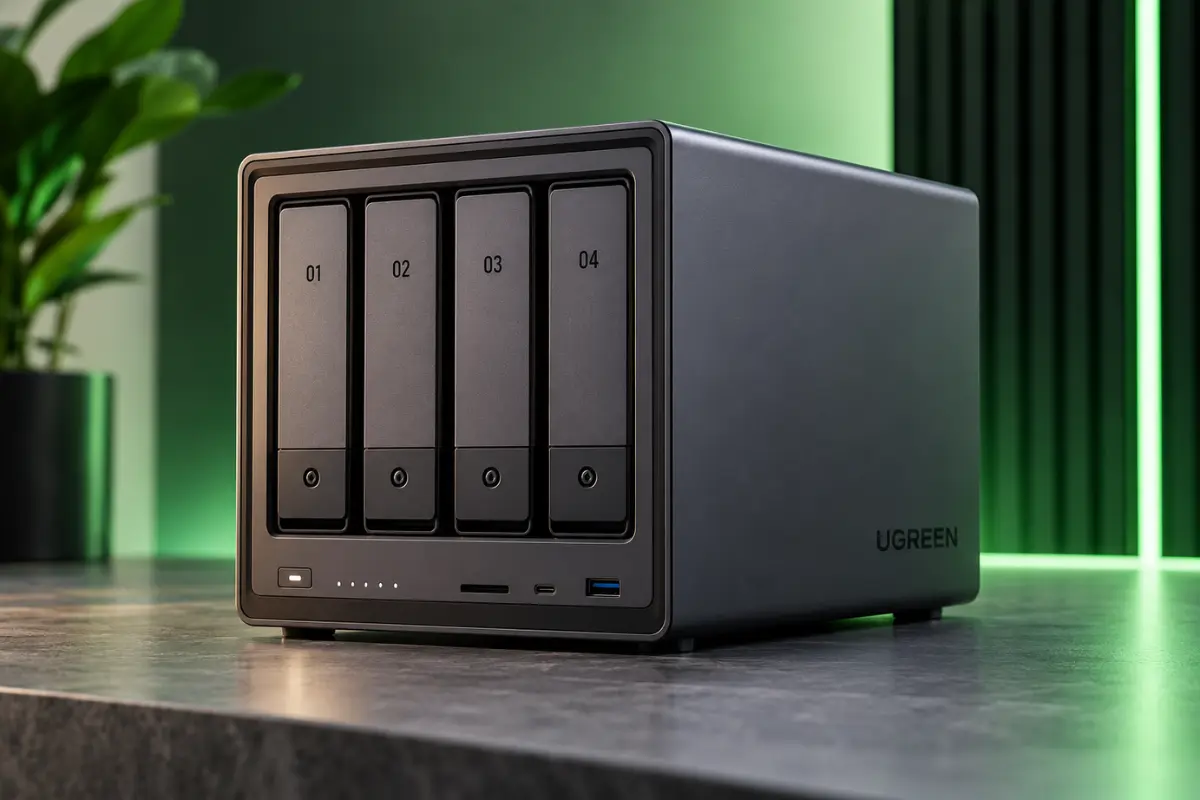
UGREEN NASync DXP4800 Plus
90/100
Best balance for most serious Plex users.
Best Plex-First Alternative
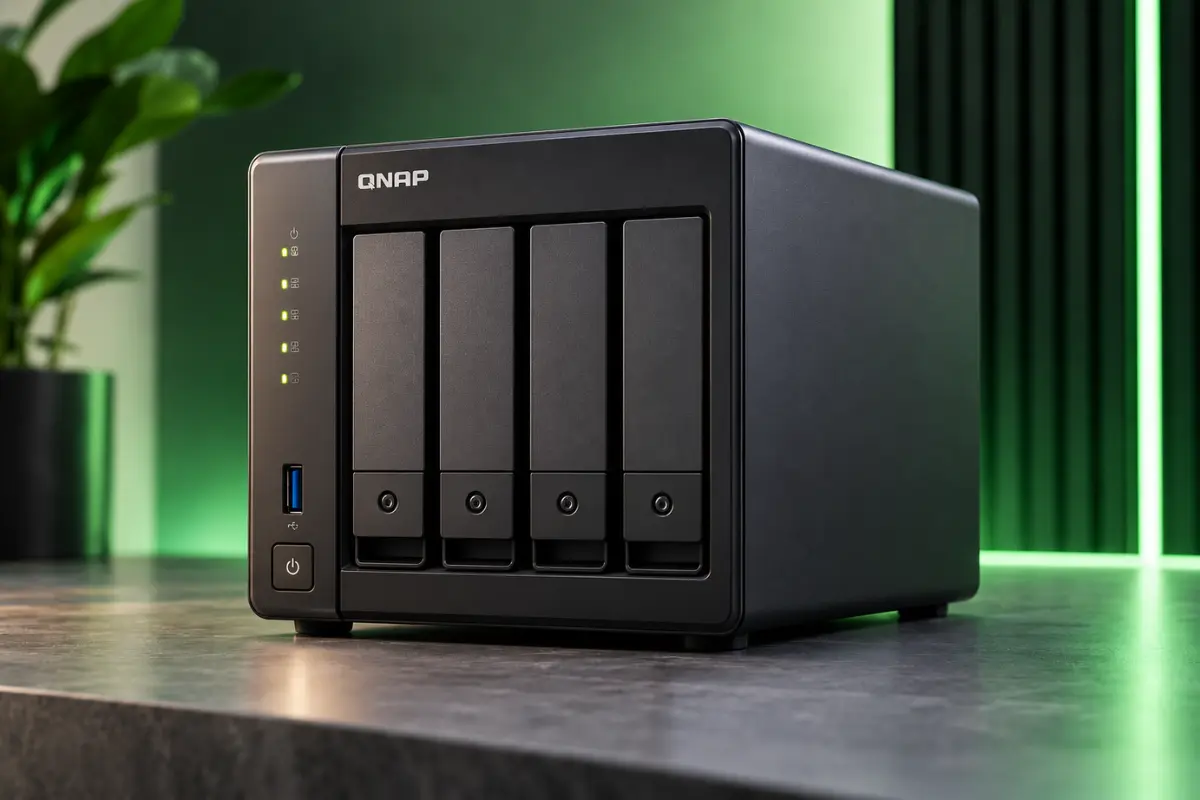
QNAP TS-464-8G
86/100
Mature Intel Plex platform and QNAP ecosystem.
Best for Expansion
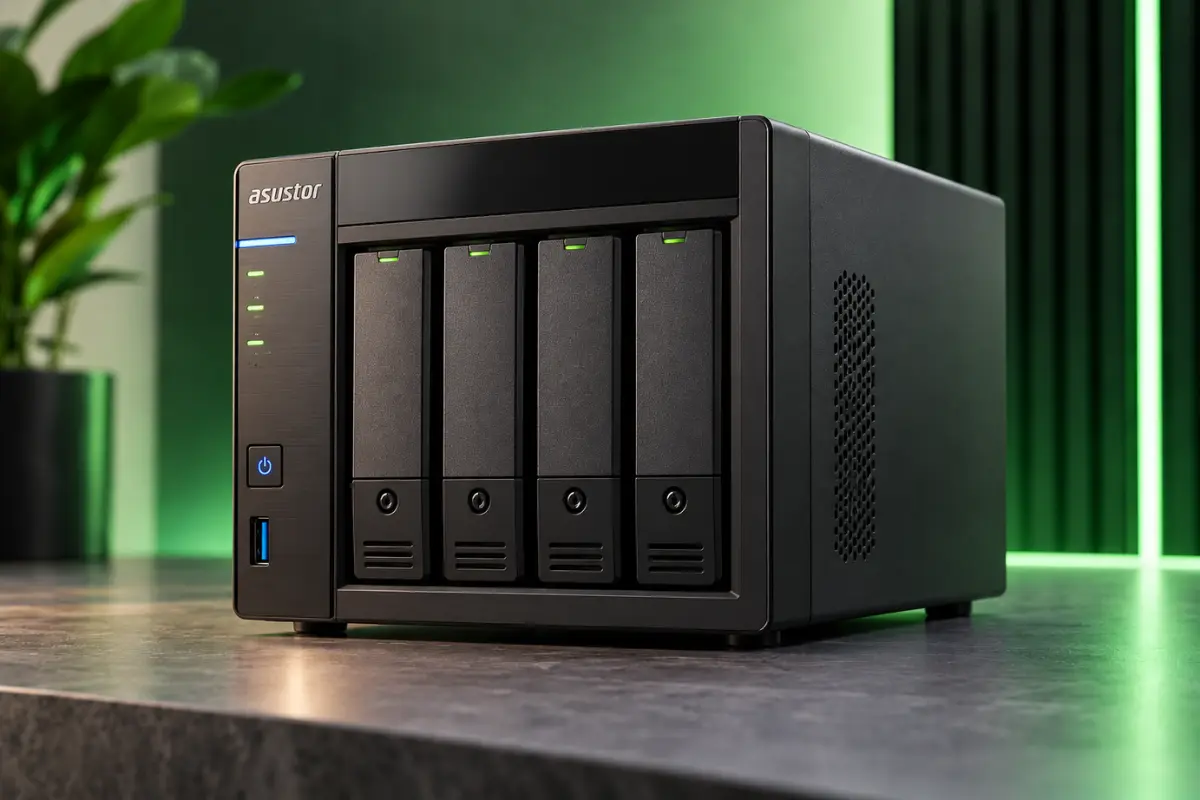
ASUSTOR Lockerstor 4 Gen2+ AS6704T v2
86/100
Four M.2 slots and dual 5GbE make it the expansion-focused pick.
Compare Our 7 Best NAS Picks for Plex
| Product | Best For | Score | Bays | Key Strength | Main Trade-Off | Amazon |
|---|---|---|---|---|---|---|
| UGREEN NASync DXP4800 Plus | Best Overall | 90/100 | 4 | Excellent balance of processor, storage, networking, and expansion. | Docker-based Plex setup adds complexity. | View on Amazon |
| QNAP TS-464-8G | Best Plex-First Alternative | 86/100 | 4 | Mature QNAP ecosystem plus Intel UHD Graphics. | Older Celeron processor than newer Core-class competitors. | View on Amazon |
| ASUSTOR Lockerstor 4 Gen2+ AS6704T v2 | Best for Expansion | 86/100 | 4 | Four M.2 slots plus dual 5GbE. | Modest base RAM and an older CPU than Core-class alternatives. | View on Amazon |
| QNAP TS-264-8G | Best 2-Bay Plex NAS | 80/100 | 2 | Compact Intel Plex platform. | Limited long-term storage growth. | View on Amazon |
| Synology DiskStation DS925+ | Best for DSM and Direct Play | 80/100 | 4 | DSM and the broader storage/backup ecosystem. | No integrated GPU. | View on Amazon |
| UGREEN NASync DXP8800 Plus | Best Premium Large-Library NAS | 90/100 | 8 | Eight bays, Core i5 performance, and dual 10GbE. | High total ownership cost. | View on Amazon |
| TerraMaster F6-424 Max | Best 6-Bay Plex NAS for Power Users | 89/100 | 6 | Six bays plus Core i5 and dual 10GbE. | Far more hardware than a basic Plex-only household needs. | View on Amazon |
How the GadgetStick Expert Score Works
| Scoring Category | Weight |
|---|---|
| Plex & Media Capability | 30% |
| Storage & Expansion | 20% |
| Networking | 15% |
| Software & Setup | 15% |
| Hardware Flexibility | 10% |
| Ownership & Practicality | 10% |
These are research-based editorial scores, not hands-on lab-test scores. Awards identify the buyer a product fits best; the score measures broader strength within this comparison.
What we do not score: acoustic noise we did not measure, power draw we did not measure, simultaneous 4K stream counts we did not test, thermal performance we did not test, or long-term reliability we cannot yet verify ourselves.
Direct Play, Direct Stream, and Transcoding
Direct Play
Plex sends the original media file directly to the playback device. This is the lightest server workload.
Direct Stream
The media is largely compatible, but Plex repackages it into another container. This normally requires much less processing than full video conversion.
Transcoding
Plex converts media because of codec, resolution, bitrate, audio, subtitle, device, or bandwidth limitations. This is where hardware matters most.
Plex hardware-accelerated streaming on compatible hardware generally requires an active Plex Pass.
What Actually Matters When Choosing a Plex NAS
1. Do Not Choose by CPU Name Alone
A faster processor is useful, but Plex performance is not simply a benchmark contest. Integrated graphics, compatible media engines, and software access to that hardware can matter substantially for transcoding.
2. Plan for Future Storage
Two bays are fine for smaller libraries. Four bays are the sweet spot for many serious home users. Six or eight bays make more sense when you already know your library will become very large.
3. 10GbE Does Not Automatically Make Plex Better
Plex normally uses nowhere near 10Gbps of bandwidth. 10GbE becomes valuable when the NAS also handles large backups, workstation storage, video editing, huge file transfers, multiple heavy users, or SSD-based storage.
4. RAM Matters More for Everything Around Plex
Plex itself does not require 32GB or 64GB of RAM for a normal household. Extra memory becomes useful when the NAS also runs containers, virtual machines, automation, databases, photo software, backups, or other services.
5. NAS Software Is Part of the Purchase
Synology DSM, QNAP QTS, ASUSTOR ADM, TerraMaster TOS, and UGREEN UGOS Pro offer different levels of maturity, app support, configuration complexity, and user experience.
1. UGREEN NASync DXP4800 Plus — Best Overall
90/100
Research-based editorial score
Best for: Serious Plex users who want a strong four-bay NAS with room to grow.
Standout strength: Excellent balance of processor, storage, networking, and expansion.
Main trade-off: Docker-based Plex setup adds complexity.
Key Specs
| Specification | Details |
|---|---|
| CPU | Intel 8505 |
| CPU Layout | 5 cores / 6 threads |
| RAM | 8GB DDR5 |
| SATA Bays | 4 |
| M.2 Slots | 2 |
| System Storage | Built-in SSD |
| Networking | 10GbE + 2.5GbE |
| Best Use | Plex + general home server |
The UGREEN NASync DXP4800 Plus earns our Best Overall award because it makes relatively few major hardware compromises for the typical serious Plex buyer.
It uses an Intel 8505 processor with five cores and six threads, includes 8GB DDR5 memory, provides four SATA bays and two M.2 slots, and includes built-in system storage. Its networking is particularly strong, with both 10GbE and 2.5GbE.
Pros
- Strong Intel platform
- Four SATA bays
- Two M.2 slots
- DDR5 memory
- 10GbE + 2.5GbE
- Excellent hardware balance
- Good long-term expansion
Cons
- Plex setup requires more work
- UGOS Pro is newer than DSM or QTS
- More expensive than entry-level systems
- 10GbE may be unnecessary for Plex-only users
Who Should Buy It
- You want four drive bays.
- Your library is growing.
- You want strong networking.
- Plex is not your only NAS workload.
- You are comfortable with Docker.
- You want a system that can remain useful for years.
Who Should Skip It
- You want the easiest possible Plex setup.
- You do not want to configure Docker.
- Your library easily fits on two drives.
- You strongly prefer a long-established NAS ecosystem.
Bottom Line: The DXP4800 Plus gives most serious Plex buyers enough CPU, drive expansion, memory, and networking without jumping into the cost and size of a premium six- or eight-bay system.
2. QNAP TS-464-8G — Best Plex-First Alternative
86/100
Research-based editorial score
Best for: Buyers who want an established Plex-friendly Intel NAS.
Standout strength: Mature QNAP ecosystem plus Intel UHD Graphics.
Main trade-off: Older Celeron processor than newer Core-class competitors.
Key Specs
| Specification | Details |
|---|---|
| CPU | Intel Celeron N5095 |
| Graphics | Intel UHD Graphics |
| RAM | 8GB DDR4 |
| SATA Bays | 4 |
| M.2 Slots | 2 |
| Networking | Dual 2.5GbE |
| Best Use | Plex-focused four-bay NAS |
The QNAP TS-464-8G pairs Intel UHD Graphics with a mature QNAP NAS ecosystem, four drive bays, two M.2 slots, and dual 2.5GbE networking.
Specification and Plex checks: QNAP’s TS-464 model page lists a Celeron N5095 and two 2.5GbE ports. Plex’s hardware-accelerated streaming requirements include an active Plex Pass and compatible hardware and software. These specifications do not guarantee a particular number of 4K transcodes; codecs, subtitles, clients and server configuration still matter.
It is not the fastest NAS in this comparison, but the combination of an Intel media platform and an established NAS operating system is exactly why it remains relevant to Plex-first buyers.
Pros
- Intel UHD Graphics
- Hardware-accelerated media support
- Four drive bays
- Two M.2 slots
- Mature QNAP platform
- Dual 2.5GbE
Cons
- Older CPU
- No built-in 10GbE
- QTS can be complex for beginners
- Less compute headroom than newer Core models
Who Should Buy It
- Plex is one of your main NAS applications.
- You want a mature NAS ecosystem.
- Four bays fit your storage plan.
- Intel media support matters.
- 2.5GbE is enough.
Who Should Skip It
- You want much stronger general CPU performance.
- You need 10GbE.
- You expect to run several demanding server applications.
- You need more than four bays.
Bottom Line: The TS-464 is the NAS to consider when Plex is one of the main reasons you want a NAS.
3. ASUSTOR Lockerstor 4 Gen2+ AS6704T v2 — Best for Expansion
86/100
Research-based editorial score
Best for: Buyers who want unusually strong SSD and network expansion.
Standout strength: Four M.2 slots plus dual 5GbE.
Main trade-off: Modest base RAM and an older CPU than Core-class alternatives.
Key Specs
| Specification | Details |
|---|---|
| CPU | Intel Celeron N5105 |
| RAM | 4GB DDR4 |
| SATA Bays | 4 |
| M.2 Slots | 4 |
| Networking | Dual 5GbE |
| Best Use | Expandable media/storage server |
The ASUSTOR Lockerstor 4 Gen2+ AS6704T v2 stands out because the expansion options are unusually generous.
You get four SATA bays, four M.2 NVMe slots, and dual 5GbE networking, making this one of the most flexible four-bay platforms here.
Pros
- Four M.2 slots
- Dual 5GbE
- Intel media platform
- Four SATA bays
- Excellent expansion flexibility
Cons
- Only 4GB RAM included
- CPU is older than Core-class alternatives
- Expansion features may be unnecessary for basic Plex use
Who Should Buy It
- You want several M.2 drives.
- You can use 5GbE.
- You want an Intel NAS.
- SSD expansion matters.
- Four hard-drive bays are sufficient.
Who Should Skip It
- You want a newer Core CPU.
- You have no use for M.2 expansion.
- Your network is only 1GbE.
- You want more RAM included.
Bottom Line: The Lockerstor earns its position by offering more expansion paths than most four-bay NAS devices.
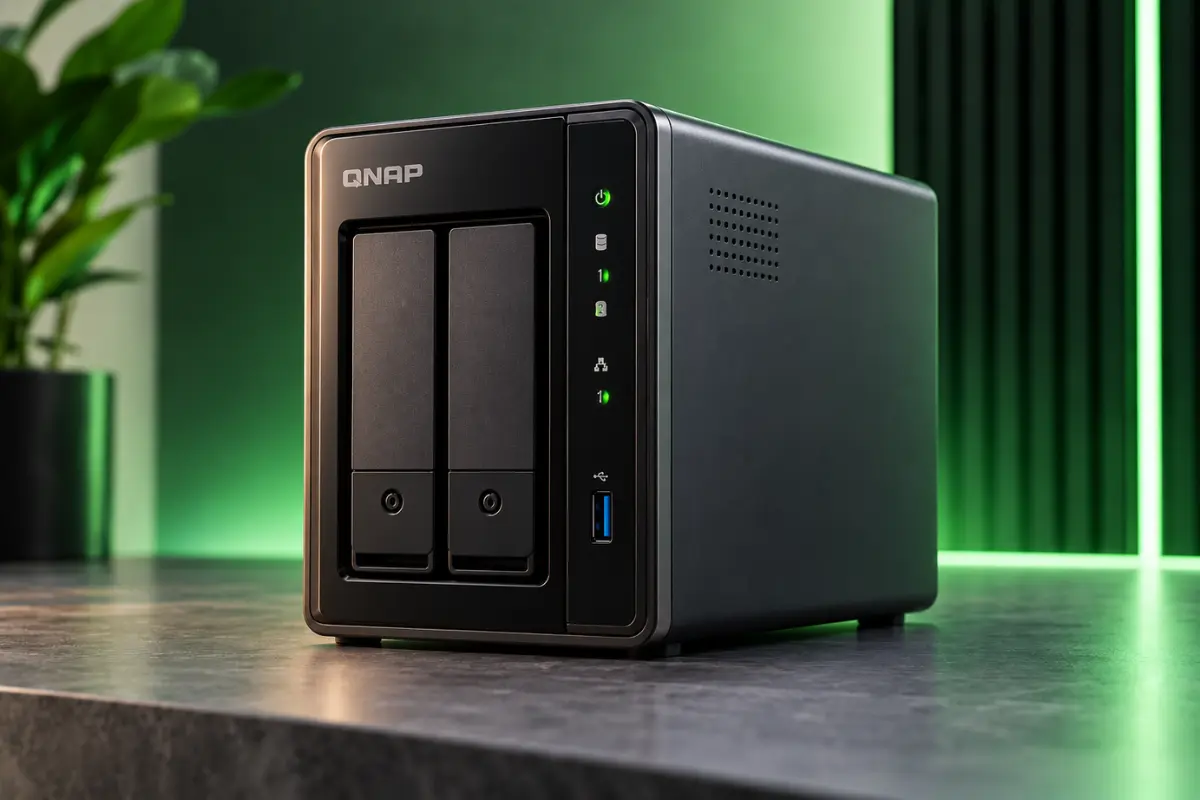
4. QNAP TS-264-8G — Best 2-Bay Plex NAS
80/100
Research-based editorial score
Best for: Smaller Plex libraries and compact setups.
Standout strength: Compact Intel Plex platform.
Main trade-off: Limited long-term storage growth.
Key Specs
| Specification | Details |
|---|---|
| CPU | Intel Celeron N5095 |
| Graphics | Intel UHD |
| RAM | 8GB |
| SATA Bays | 2 |
| M.2 Slots | 2 |
| Networking | Dual 2.5GbE |
| Best Use | Compact Plex server |
The QNAP TS-264-8G keeps much of the media-friendly platform of the TS-464 but reduces the SATA bay count from four to two.
That lowers the physical footprint and total drive cost while creating its biggest weakness: storage growth.
Pros
- Compact
- Intel UHD Graphics
- Two M.2 slots
- Dual 2.5GbE
- Mature QNAP ecosystem
Cons
- Two-bay storage ceiling
- Older processor
- Less future flexibility
Who Should Buy It
- Two large drives are enough.
- Space matters.
- You want Intel media support.
- You prefer QNAP.
- You want a simpler storage plan.
Who Should Skip It
- Your 4K library is growing rapidly.
- You already suspect two bays will not be enough.
- You want more flexible storage layouts.
Bottom Line: The TS-264 is a strong compact choice — provided you are genuinely comfortable with a two-bay storage plan.
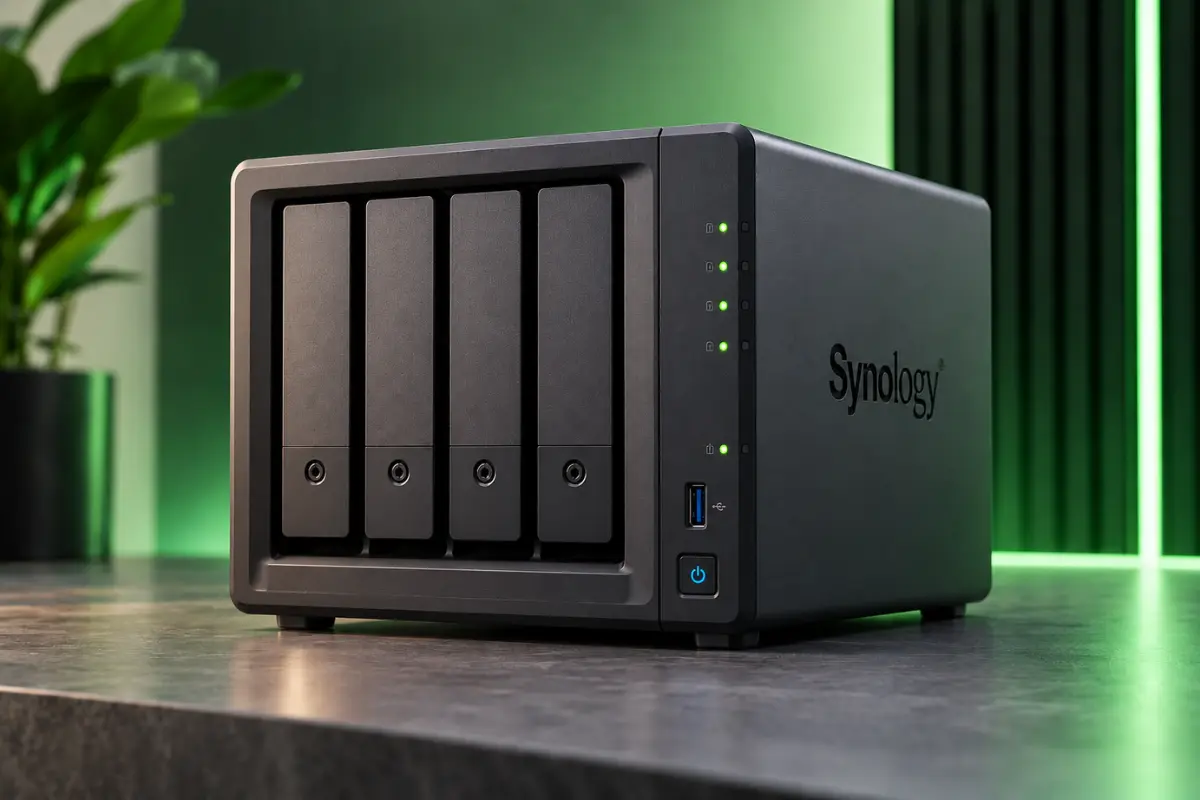
5. Synology DiskStation DS925+ — Best for DSM and Direct Play
80/100
Research-based editorial score
Best for: Buyers who prioritize Synology DSM and mostly Direct Play media.
Standout strength: DSM and the broader storage/backup ecosystem.
Main trade-off: No integrated GPU.
Key Specs
| Specification | Details |
|---|---|
| CPU | AMD Ryzen V1500B |
| CPU Layout | 4 cores / 8 threads |
| RAM | 4GB DDR4 ECC |
| SATA Bays | 4 |
| M.2 Slots | 2 |
| Networking | Dual 2.5GbE |
| Integrated GPU | No |
| Best Use | DSM + Direct Play |
The Synology DiskStation DS925+ is not our hardware-transcoding-first recommendation.
Its AMD Ryzen V1500B does not include an integrated GPU, but Synology’s strength remains the broader DSM storage, backup, and management ecosystem.
Pros
- Excellent DSM ecosystem
- ECC memory
- Four drive bays
- M.2 expansion
- Dual 2.5GbE
Cons
- No integrated GPU
- Not our preferred transcoding-heavy Plex NAS
- Only 4GB RAM included
Who Should Buy It
- You want DSM.
- Backup is important.
- Your clients Direct Play most media.
- You value software maturity.
- ECC memory appeals to you.
Who Should Skip It
- Hardware transcoding is your biggest priority.
- Plex is almost your only NAS use.
- Your playback devices frequently force conversion.
Bottom Line: Choose the DS925+ if you want a strong Synology NAS that also runs Plex, rather than a NAS chosen primarily because of Plex.
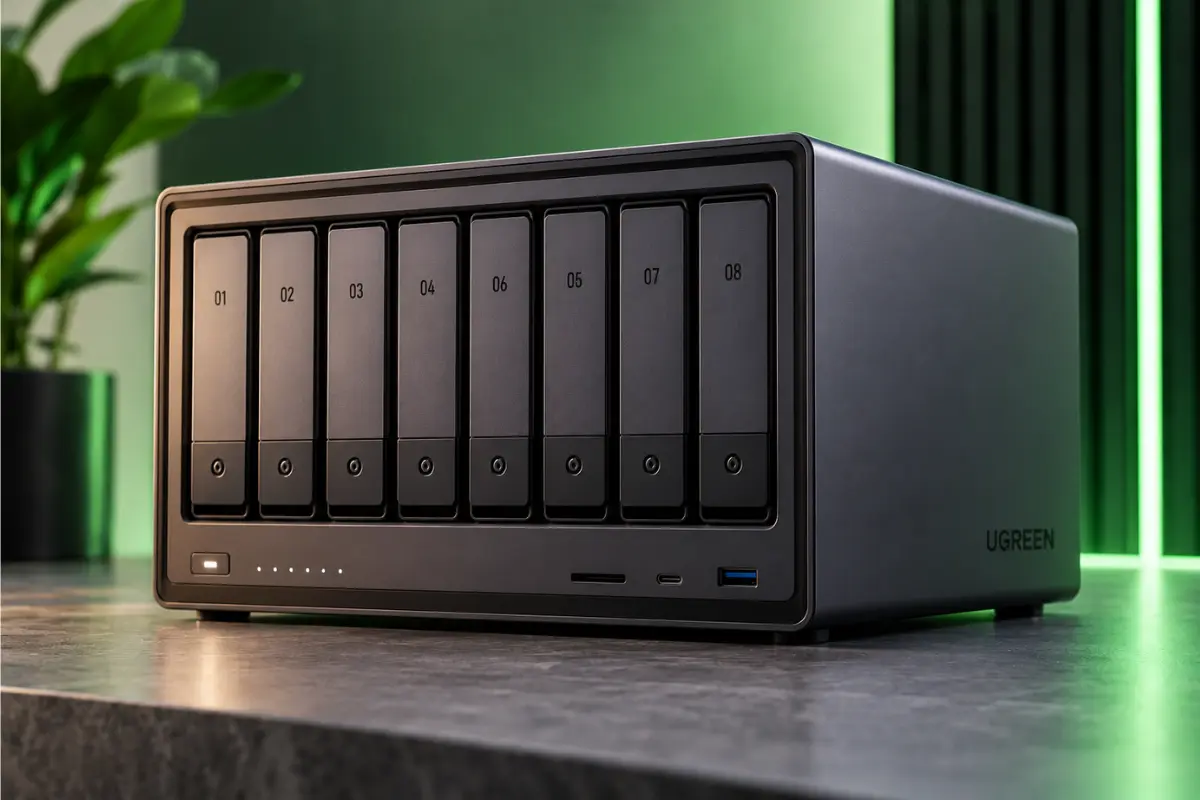
6. UGREEN NASync DXP8800 Plus — Best Premium Large-Library NAS
90/100
Research-based editorial score
Best for: Huge media libraries and users who already know four bays will not be enough.
Standout strength: Eight bays, Core i5 performance, and dual 10GbE.
Main trade-off: High total ownership cost.
Key Specs
| Specification | Details |
|---|---|
| CPU | Intel Core i5-1235U |
| CPU Layout | 10 cores / 12 threads |
| RAM | 8GB DDR5 |
| SATA Bays | 8 |
| M.2 Slots | 2 |
| Networking | Dual 10GbE |
| Thunderbolt | Thunderbolt 4 |
| Best Use | Very large media/storage server |
The UGREEN NASync DXP8800 Plus moves into a different class of machine.
It combines an Intel Core i5-1235U, eight SATA bays, two M.2 slots, DDR5 memory, and dual 10GbE networking. It also provides Thunderbolt connectivity and built-in system storage.
Pros
- Eight SATA bays
- Core i5 processor
- Dual 10GbE
- Two M.2 slots
- Thunderbolt
- Excellent long-term expansion
Cons
- Expensive
- Drive costs add up
- Physically larger
- Overkill for many households
- UGREEN Plex setup still requires more work
Who Should Buy It
- Your media collection is already large.
- You want eight bays.
- Several people access the NAS.
- You also handle large backups.
- You can use 10GbE.
- You want to avoid migrating to a larger chassis later.
Who Should Skip It
- You are building your first small Plex server.
- Four bays already provide plenty of space.
- You have no use for 10GbE.
- You want a cheap or simple setup.
Bottom Line: The DXP8800 Plus is for buyers planning a storage server that happens to run Plex — not someone simply looking for the cheapest way to stream a movie library.
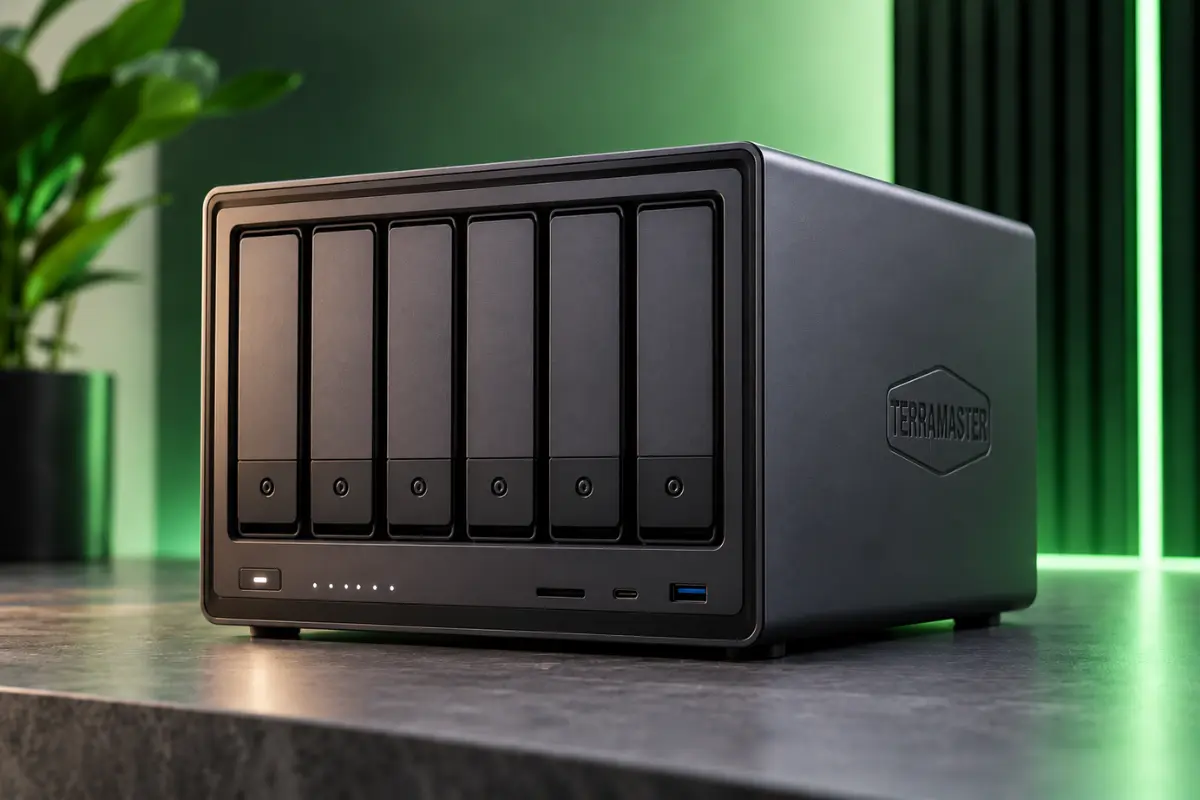
7. TerraMaster F6-424 Max — Best 6-Bay Plex NAS for Power Users
89/100
Research-based editorial score
Best for: Buyers who want Core i5 performance and more than four bays without moving to eight.
Standout strength: Six bays plus Core i5 and dual 10GbE.
Main trade-off: Far more hardware than a basic Plex-only household needs.
Key Specs
| Specification | Details |
|---|---|
| CPU | Intel Core i5-1235U |
| CPU Layout | 10 cores / 12 threads |
| RAM | 8GB DDR5 |
| SATA Bays | 6 |
| M.2 Slots | 2 |
| Networking | Dual 10GbE |
| Best Use | Plex + power-user home server |
The TerraMaster F6-424 Max fills an interesting middle ground.
You get six SATA bays, an Intel Core i5-1235U, DDR5 memory, two M.2 slots, and dual 10GbE.
Pros
- Core i5-1235U
- Six drive bays
- Dual 10GbE
- Two M.2 slots
- DDR5 memory
- Excellent home-server headroom
Cons
- Expensive for basic Plex use
- More hardware than many homes need
- Eight-bay alternatives offer even more maximum expansion
Who Should Buy It
- Four bays are too limiting.
- Eight bays feel excessive.
- You want strong CPU performance.
- You run other server applications.
- 10GbE is useful to you.
Who Should Skip It
- Plex is your only real workload.
- Your library is small.
- You have no use for 10GbE.
- Four bays would already be enough.
Bottom Line: The F6-424 Max is one of the most attractive choices for the buyer who has genuinely outgrown four-bay NAS systems but does not want an eight-bay chassis.
Head-to-Head: Which One Should You Actually Buy?
UGREEN DXP4800 Plus vs QNAP TS-464
Choose UGREEN for stronger overall hardware, faster networking, and broader server use. Choose QNAP if Plex-first convenience and a mature NAS ecosystem matter more.
QNAP TS-264 vs TS-464
The main decision is storage. Choose TS-264 if two drives genuinely cover your future plan; choose TS-464 if your library is growing.
How Many Drive Bays Do You Need?
2 Bays
Best for smaller libraries, apartments, lower-cost builds, and a first NAS. Biggest weakness: limited expansion.
4 Bays
Best for most serious home Plex users, growing 4K libraries, and more flexible storage layouts. For many buyers, this is the sweet spot.
6–8 Bays
Best for large collections, power users, and long-term storage growth. Do not buy more bays simply because the number sounds future-proof.
How Much Storage Do You Need for Plex?
Do not estimate from movie count alone. File size changes dramatically with resolution, bitrate, codec, HDR, compression, and source quality. Check how much storage your library uses today, how quickly it grew over the last year, and plan several years ahead.
RAID is not a backup. Important files still need another copy.
Does Plex Need an SSD?
No. Hard drives are still the practical choice for storing large media libraries. M.2 SSDs can still be valuable for Plex metadata, applications, containers, databases, thumbnails, and other latency-sensitive services.
Does Plex Need 10GbE?
No. 2.5GbE is already more than enough for normal Plex streaming. 10GbE is more useful for workstation access, video editing, large backups, huge file transfers, and several heavy users.
Do You Need Plex Pass for Hardware Transcoding?
For Plex hardware-accelerated streaming on supported hardware, Plex generally requires an active Plex Pass. Before spending significantly more on server hardware, also consider the playback client: a better streaming device that can Direct Play your files can sometimes reduce the need for server-side transcoding altogether.
Common Plex NAS Buying Mistakes
- Buying the biggest number instead of solving the real bottleneck
- Ignoring the playback client and forcing unnecessary transcodes
- Assuming every 4K file is equally demanding
- Buying too few drive bays just to save money today
- Treating RAID as a backup
Other NAS Devices We Considered
UGREEN NASync DXP2800
Interesting as a smaller UGREEN option, but QNAP TS-264 fills the compact two-bay role with a more established Plex-focused ecosystem.
Older Synology Plus Models
Some older Intel-based Synology systems remain interesting to Plex users because of their integrated graphics, but this guide prioritizes current-generation recommendations.
Entry-Level ARM NAS Models
They can work well for storage and Direct Play, but this guide focuses on buyers who want more Plex flexibility and stronger server headroom.
What We Verified — and What We Did Not
What We Verified
- Processor model
- Integrated graphics/media capabilities
- RAM
- Drive bays
- M.2 expansion
- Ethernet ports
- Software platform
- Plex installation method where relevant
- Hardware-acceleration requirements where documented
What We Did Not Personally Measure
- Simultaneous 4K stream counts
- Acoustic noise
- Temperatures
- Electrical power draw
- Long-term drive reliability
- Real-world failure rate
Frequently Asked Questions
What is the best NAS for Plex in 2026?
For most serious home users, our Best Overall pick is the UGREEN NASync DXP4800 Plus because it combines a capable Intel platform, four bays, DDR5 memory, M.2 expansion, and excellent networking.
What is the best Plex NAS for easier setup?
For buyers who prioritize an established Plex-friendly NAS platform, the QNAP TS-464-8G is our preferred alternative.
What is the best two-bay NAS for Plex?
The QNAP TS-264-8G is our two-bay pick.
Is Synology DS925+ good for Plex?
Yes, particularly for Direct Play. Because the Ryzen V1500B has no integrated GPU, it is not our first recommendation for buyers expecting frequent hardware video transcoding.
Is UGREEN NAS good for Plex?
Compatible UGREEN DXP NAS systems can run Plex through Docker. The hardware can be very attractive, but setup is less turnkey than some mature NAS ecosystems.
How much RAM does a Plex NAS need?
Plex alone does not normally require huge amounts of RAM. 4GB to 8GB can be enough for many homes. Extra memory becomes more useful when Plex shares the NAS with containers, databases, virtual machines, or other applications.
Does Plex require 10GbE?
No. 10GbE is useful for heavy general NAS workloads, but it is not required for normal Plex streaming.
Is Direct Play better than transcoding?
When the client supports the original file, Direct Play places far less processing demand on the server. Transcoding is useful when compatibility or bandwidth requires conversion.
Final Answer
For most serious home Plex users, the UGREEN NASync DXP4800 Plus is our Best Overall recommendation.
If you would rather prioritize a more established Plex-first NAS ecosystem, choose the QNAP TS-464-8G. If expansion flexibility is a priority, the ASUSTOR Lockerstor 4 Gen2+ AS6704T v2 is the stronger fit.
For smaller libraries, the QNAP TS-264-8G is the more practical compact choice. For DSM-focused households that mostly Direct Play, the Synology DS925+ remains a sensible storage-first option.
If your library is already large enough to justify more than four drive bays, look at the TerraMaster F6-424 Max or UGREEN DXP8800 Plus.
How We Researched This Guide
GadgetStick reviewed manufacturer documentation and Plex requirements for the NAS devices selected in this comparison.
- Processor architecture
- Media capabilities
- Integrated graphics
- Direct Play vs transcoding suitability
- RAM
- Drive-bay capacity
- M.2 expansion
- Network interfaces
- Plex installation path
- Software maturity
- Long-term storage growth
- Ownership complexity
- The biggest real compromise of each product
Each NAS was rated using the same category-specific 100-point GadgetStick Expert Score. These are research-based editorial ratings, not hands-on lab scores.
GadgetStick has not physically lab-tested all seven NAS systems in this guide, so we do not publish fabricated benchmarks, fake stream counts, temperatures, power measurements, or noise measurements.
Editorial Note
Hardware specifications, NAS operating systems, Plex packages, Docker images, hardware-acceleration support, firmware, and compatibility can change. Amazon prices, promotions, star ratings, and availability also change frequently, so temporary retailer ratings and prices are not used as permanent ranking factors.