

If Discord is a big part of your gaming setup, the best wireless headset is not automatically the one with the biggest drivers, the loudest bass, or the longest feature list.
For voice chat, the priorities change. Mic clarity matters. Wireless stability matters. Comfort matters because a two-hour gaming session can become a six-hour Discord session. Battery life matters because a dead headset in the middle of a ranked match is more annoying than a missing EQ preset.
That is why this guide focuses specifically on wireless gaming headsets for Discord, not generic gaming headsets. We compared seven models around microphone design, wireless connection quality, comfort, battery life, game audio, software controls, and day-to-day practicality.
2026 Buyer’s Guide · 7 Picks Compared · Manufacturer Specifications Verified · Research-Based GadgetStick Expert Scores · No Product Ranked by Retailer Commission
Quick Answer
For most serious PC gamers who use Discord every day, the Razer BlackShark V3 Pro is our Best Overall pick. Its strongest case is not one headline feature. It is the combination of a full-band 12 mm boom mic, low-latency 2.4GHz wireless, hybrid ANC, game/chat controls, solid battery life, and a relatively manageable 367 g weight.
The SteelSeries Arctis Nova 5 Wireless is our Best Value pick because it combines a high-bandwidth ClearCast mic, 60-hour battery life, 2.4GHz wireless, Bluetooth, and a strong software/app ecosystem without pushing into premium-headset territory.
If sound quality matters as much as Discord, the Audeze Maxwell 2 is our Best Premium Audio choice. Its planar magnetic drivers, low-latency USB-C wireless link, Shure boom mic, beamforming system, and 80+ hour battery make it technically impressive, but its 560 g weight is a real trade-off for long chat sessions.
Affiliate Disclosure: GadgetStick’s previous Amazon Associates relationship is no longer active. Retailer commissions do not determine our rankings.
Our Top 3 Picks
Best Overall
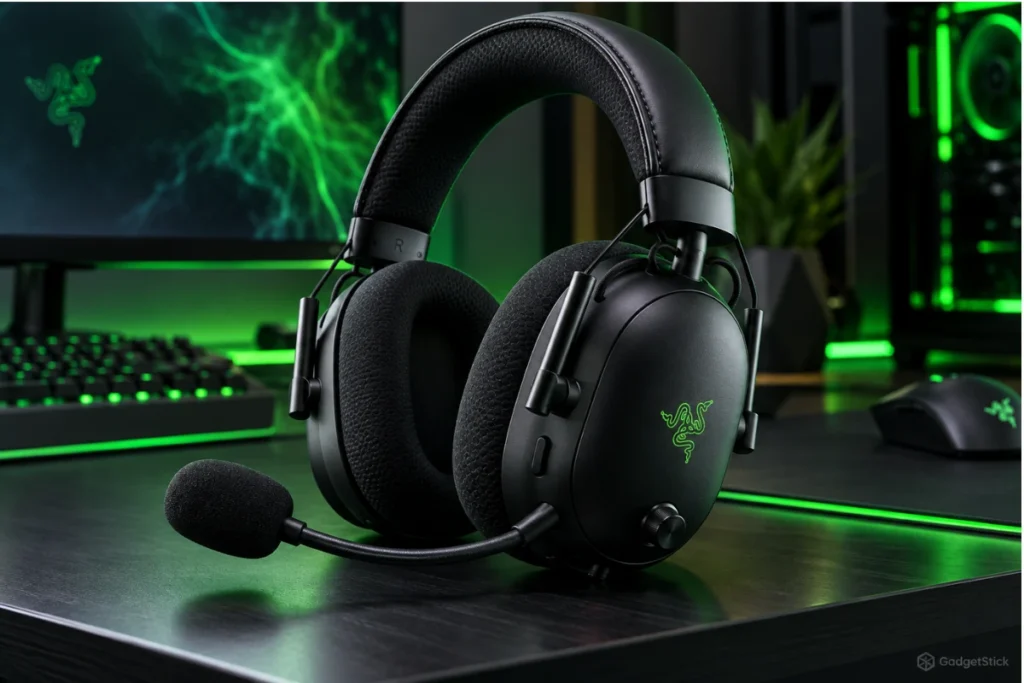
Razer BlackShark V3 Pro
93/100
Best balance of mic hardware, low-latency wireless, ANC, controls, and comfort for Discord-heavy PC gaming.
Best Value
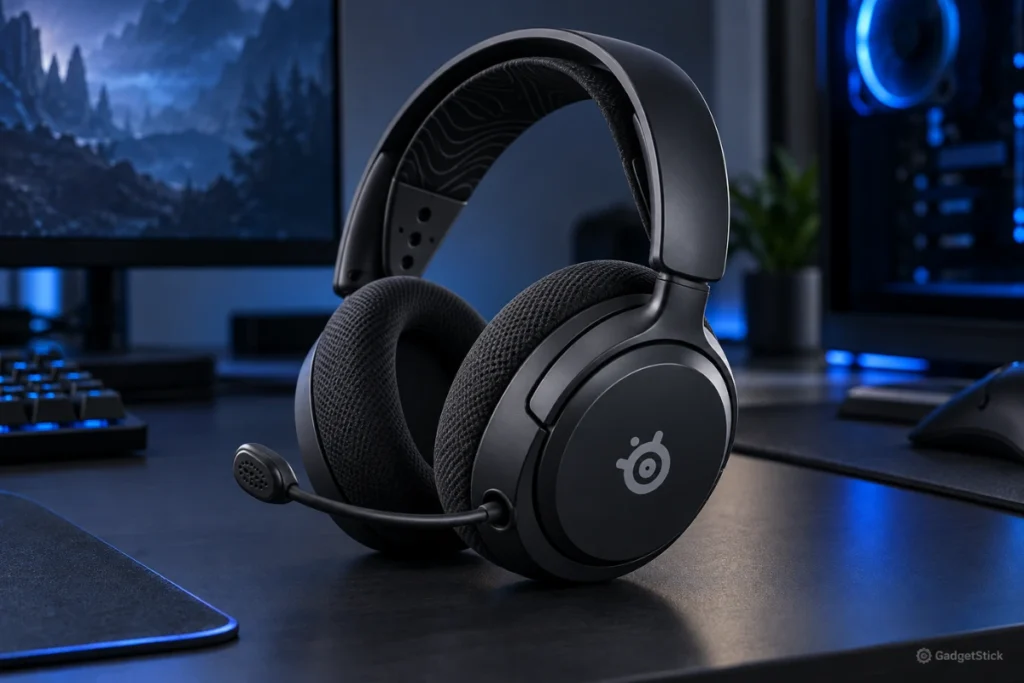
SteelSeries Arctis Nova 5 Wireless
88/100
Strong mic bandwidth, 60-hour battery, app control, and practical multi-platform wireless support.
Best Premium Audio
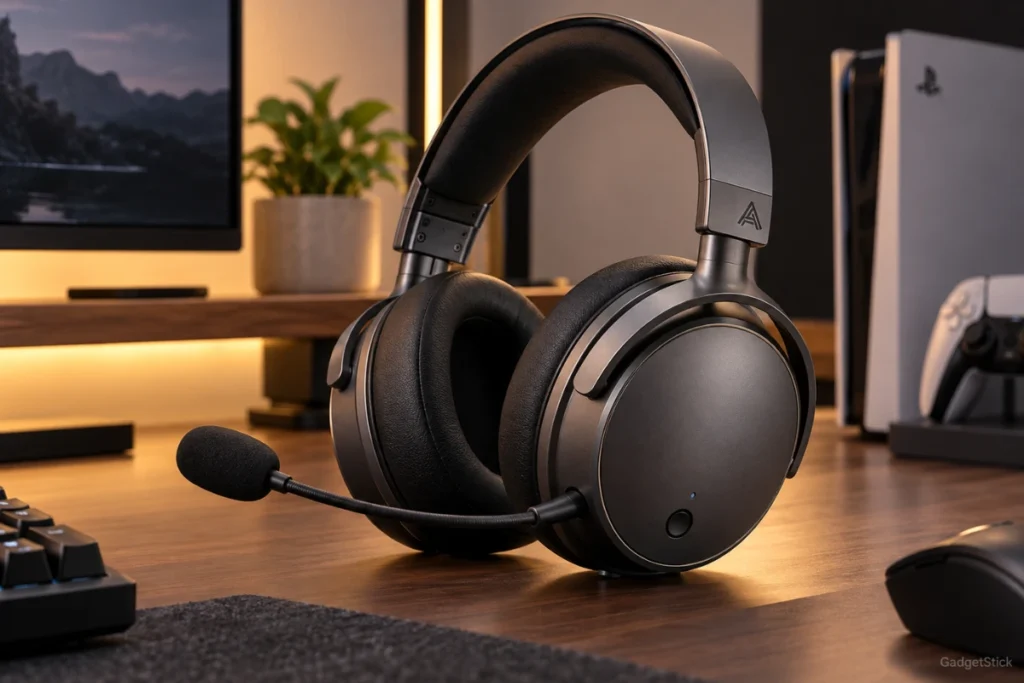
Audeze Maxwell 2
92/100
Premium planar magnetic sound, Shure boom mic, beamforming, low-latency wireless, and 80+ hour battery.
Compare the 7 Best Wireless Gaming Headsets for Discord
| Headset | Best For | Score | Wireless | Battery Claim | Standout Strength | Main Trade-Off | Amazon |
|---|---|---|---|---|---|---|---|
| Razer BlackShark V3 Pro | Best Overall | 93/100 | 2.4GHz, Bluetooth, USB, 3.5mm | Up to 70 hrs on 2.4GHz | Full-band 12 mm mic + ANC | Premium positioning and feature complexity | View on Amazon |
| SteelSeries Arctis Nova 5 Wireless | Best Value | 88/100 | 2.4GHz + Bluetooth | Up to 60 hrs | ClearCast 2.X mic + strong app support | No simultaneous 2.4GHz + Bluetooth mixing | View on Amazon |
| HyperX Cloud Alpha Wireless | Best Battery Life | 84/100 | 2.4GHz | Up to 300 hrs | Exceptional battery endurance | No Bluetooth and older connectivity design | View on Amazon |
| HyperX Cloud III S Wireless | Best Multi-Device HyperX Pick | 86/100 | 2.4GHz + Bluetooth | Up to 120 hrs on 2.4GHz | Flexible device support + long battery | Not the strongest mic-focused pick here | View on Amazon |
| SteelSeries Arctis Nova 7 Wireless Gen 2 | Best for Simultaneous Bluetooth + Gaming | 91/100 | 2.4GHz + simultaneous Bluetooth | 50+ hrs | Dual-audio multitasking | More controls/features than some users need | View on Amazon |
| Audeze Maxwell 2 | Best Premium Audio | 92/100 | Low-latency USB-C + Bluetooth 5.3 | 80+ hrs | Planar sound + Shure boom mic | Heavy at 560 g | View on Amazon |
| Logitech G PRO X Wireless | Best Proven Esports Pick | 82/100 | 2.4GHz LIGHTSPEED | 20+ hrs | BLUE VO!CE processing + durable build | Older battery and connectivity package | View on Amazon |
How the GadgetStick Expert Score Works
| Scoring Category | Weight |
|---|---|
| Microphone & Discord Communication | 30% |
| Wireless Stability & Latency | 20% |
| Comfort for Long Sessions | 15% |
| Game & Media Sound Quality | 15% |
| Battery & Charging | 10% |
| Software, Controls & Multi-Device Flexibility | 10% |
These are research-based editorial scores, not hands-on lab-test scores. We compared manufacturer specifications, connection design, microphone architecture, software features, control options, compatibility, weight, battery claims, and practical fit for Discord-heavy gaming.
What we do not score as if we measured it ourselves: exact microphone frequency response in a treated room, real-world RF range in every home, clamp force, long-term hinge durability, measured latency, or battery runtime under our own test conditions. Manufacturer battery figures are treated as claims, not guaranteed real-world results.
What Actually Matters for Discord?
1. The Mic Matters More Than Most Gaming Headset Spec Sheets Admit
Discord compresses voice. Your room adds noise. Your keyboard, PC fans, controller, and other people in the room add even more noise. That means a headset mic needs more than a wide frequency-response number. Pickup pattern, noise rejection, software processing, mic position, and the quality of the wireless voice path all matter.
The Razer BlackShark V3 Pro stands out with a detachable 12 mm full-band mic and 48 kHz sampling support. The Audeze Maxwell 2 uses a detachable Shure hypercardioid boom mic plus beamforming and additional noise reduction. SteelSeries leans heavily on its ClearCast microphones and Sonar processing. Logitech’s older PRO X Wireless uses BLUE VO!CE filters through G HUB.
2. 2.4GHz Wireless Is Usually the Better PC Gaming Path
For PC gaming and Discord, a dedicated 2.4GHz wireless link is usually the connection we care about most. It is designed around lower-latency game audio and two-way headset communication. Bluetooth is still useful for phones and secondary devices, but the Bluetooth path can behave differently when the microphone is active.
If you want the deeper explanation, our Windows 11 Bluetooth mic-quality guide explains why Classic Bluetooth can sound worse when the headset microphone turns on.
3. Simultaneous Bluetooth Can Be More Useful Than It Sounds
Simultaneous 2.4GHz and Bluetooth is useful if you game on a PC or console while keeping a phone connected for calls, music, or a second communication app. The Arctis Nova 7 Wireless Gen 2 is especially strong here because it is built around mixing game audio and Bluetooth at the same time.
4. Comfort Is a Discord Feature
A headset can sound excellent and still be the wrong choice if you want to take it off after an hour. Weight is not the whole comfort story, but it matters. The Maxwell 2 weighs 560 g, which is much heavier than the 367 g BlackShark V3 Pro and most traditional gaming headsets. That extra mass may be worth it for the audio hardware, but it is not something to ignore.
1. Razer BlackShark V3 Pro — Best Overall for Discord
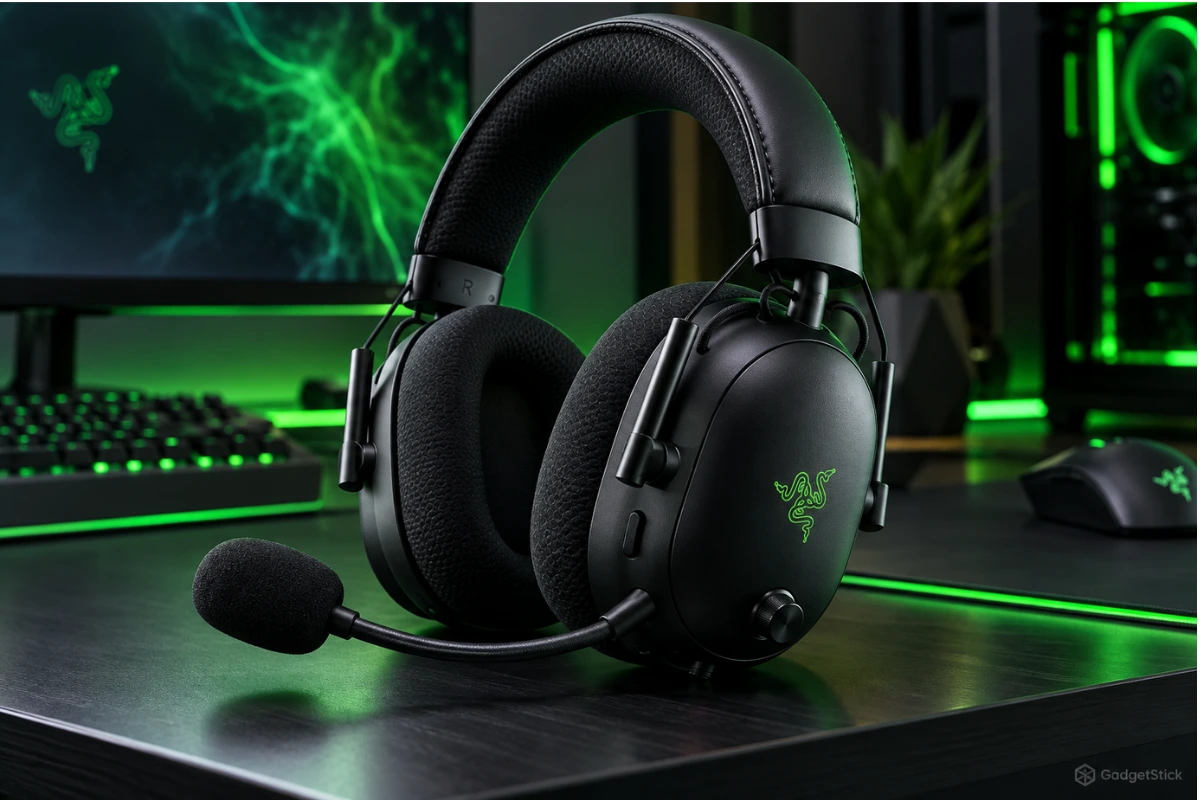
93/100
Research-based editorial score
Best for: PC gamers who want one strong Discord-and-gaming headset without a major compromise.
Standout strength: Full-band 12 mm mic, ANC, low-latency 2.4GHz, and strong control set.
Main trade-off: Premium feature set may be more than casual Discord users need.
Key Specs
| Wireless | 2.4GHz HyperSpeed Gen-2, Bluetooth 5.3 |
| Other Connections | USB wired, 3.5 mm |
| Mic | Detachable 12 mm full-band, unidirectional |
| Mic Sampling | 48 kHz |
| Battery Claim | Up to 70 hours on 2.4GHz |
| Weight | 367 g |
| Extra | Hybrid ANC, Game/Chat balance, THX Spatial Audio |
The BlackShark V3 Pro earns the top spot because it is unusually well aligned with Discord-heavy PC gaming. Razer’s model-specific announcement lists a detachable 12 mm microphone, 48 kHz sampling and a unidirectional pickup pattern. These manufacturer specifications do not establish superior Discord voice quality; room noise, microphone placement and voice processing still affect the result.
The wireless side is just as important. Razer’s 2.4GHz HyperSpeed Gen-2 connection is the main path for PC gaming, while Bluetooth gives you a secondary connection option. The headset also supports simultaneous wireless use, which is useful if you want game audio from the PC while staying connected to a phone.
Hybrid ANC is another meaningful advantage for Discord. It will not remove every keyboard click or room sound from your microphone, but reducing what you hear from the room can make long sessions easier to follow, especially if your PC is in a noisy space.
Pros
- 12 mm full-band detachable mic
- 48 kHz microphone sampling support
- Low-latency 2.4GHz wireless
- Hybrid ANC
- Bluetooth plus wired options
- Game/Chat balance control
- 70-hour battery claim on 2.4GHz
Cons
- Premium feature set may be unnecessary for casual users
- ANC and software options add setup complexity
- Not the lightest headset in the guide
Who should buy it: Competitive PC gamers, daily Discord users, and anyone who wants a strong boom mic, low-latency wireless, and ANC in one headset.
Who should skip it: Casual users who only need basic voice chat, or buyers who would rather spend their budget on premium sound quality than ANC and esports-focused controls.
Bottom Line: The BlackShark V3 Pro is our best overall Discord headset because it combines strong microphone hardware with the wireless, isolation, and control features that matter during long PC gaming sessions.
2. SteelSeries Arctis Nova 5 Wireless — Best Value
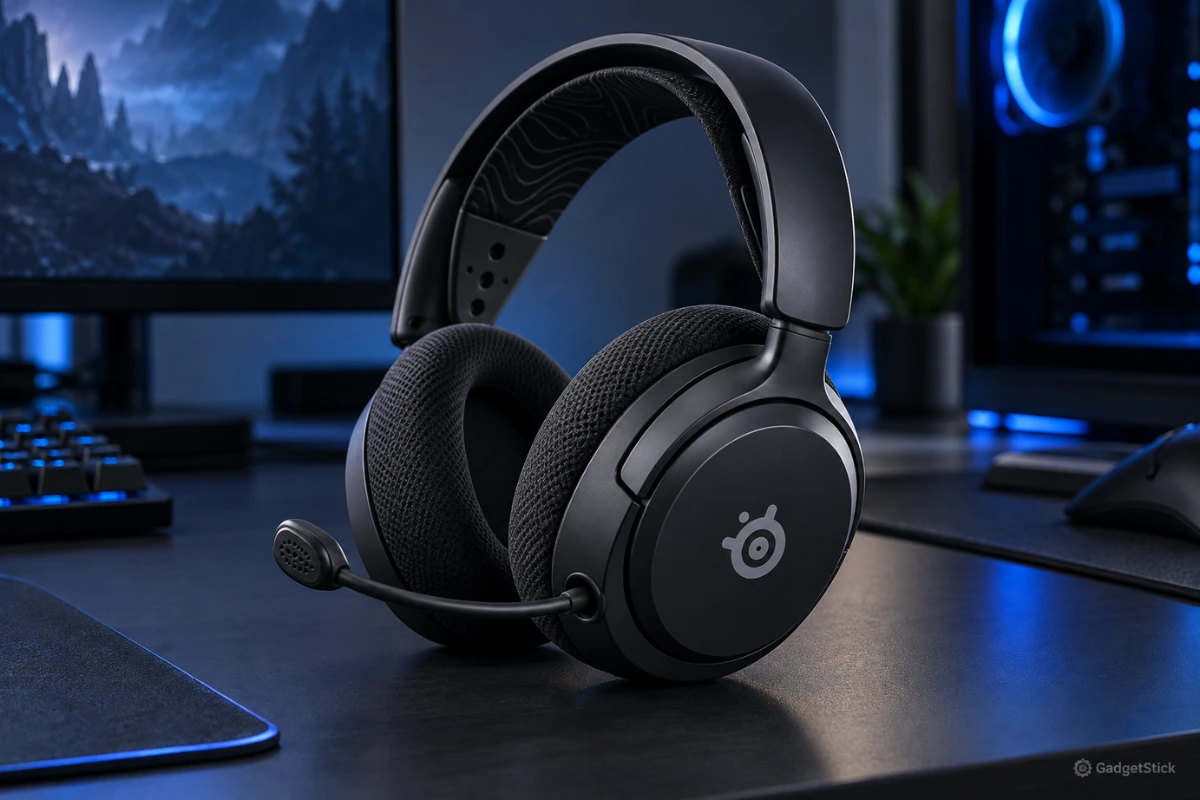
88/100
Research-based editorial score
Best Value
Best for: Buyers who want a modern Discord-friendly wireless headset without paying for premium ANC or planar drivers.
Standout strength: ClearCast 2.X mic, 60-hour battery claim, and strong app/software support.
Main trade-off: It can switch between 2.4GHz and Bluetooth, but it is not the dual-audio multitasking pick in this guide.
Key Specs
| Wireless | 2.4GHz + Bluetooth; switching, not simultaneous mixing |
| Mic | ClearCast 2.X |
| Mic Support | 32 kHz/16-bit |
| Battery Claim | Up to 60 hours |
| Software | AI-powered noise cancellation and mobile app presets |
| Platform Support | Broad platform support |
The Arctis Nova 5 Wireless is the value pick because SteelSeries puts meaningful Discord features into a headset that is not dependent on one gimmick. The ClearCast 2.X microphone uses a higher-bandwidth chipset with 32 kHz/16-bit support, and SteelSeries also offers AI-powered noise cancellation through its software stack.
Battery life is another strength. SteelSeries claims up to 60 hours, which is enough that charging becomes an occasional task rather than a daily habit. The headset supports both 2.4GHz wireless and Bluetooth, and the mobile app makes it easier to adjust presets without staying inside a desktop utility.
The practical reason to choose the Nova 5 is balance: its microphone, battery claim, and app controls all serve everyday voice chat rather than one specialist use case. That fits a PC-and-phone routine where you switch connections, but do not need to hear both sources together.
Its main limitation is workflow, not the absence of Bluetooth. Switching between connections is different from simultaneous mixing. If your phone must stay audible alongside the game, the Nova 7 Gen 2 is the more appropriate role in this comparison; if not, the Nova 5 keeps the value positioning clear. The listed microphone bandwidth and battery claim are not measurements of your own Discord call quality or runtime.
Pros
- ClearCast 2.X mic
- 60-hour battery claim
- 2.4GHz + Bluetooth
- app control
- broad platform support.
Cons
- No simultaneous 2.4GHz + Bluetooth mixing
- less premium isolation than ANC models.
Who should buy it: Discord-heavy gamers who want the ClearCast mic, long claimed battery life, and app control without moving into the premium ANC or planar category.
Who should skip it: Buyers who need simultaneous game and phone audio, or who specifically want the isolation of an ANC-focused headset.
Bottom Line: If you want a modern wireless headset for Discord and gaming without paying for every premium feature, the Nova 5 Wireless is the most balanced value pick here.
3. HyperX Cloud Alpha Wireless — Best Battery Life
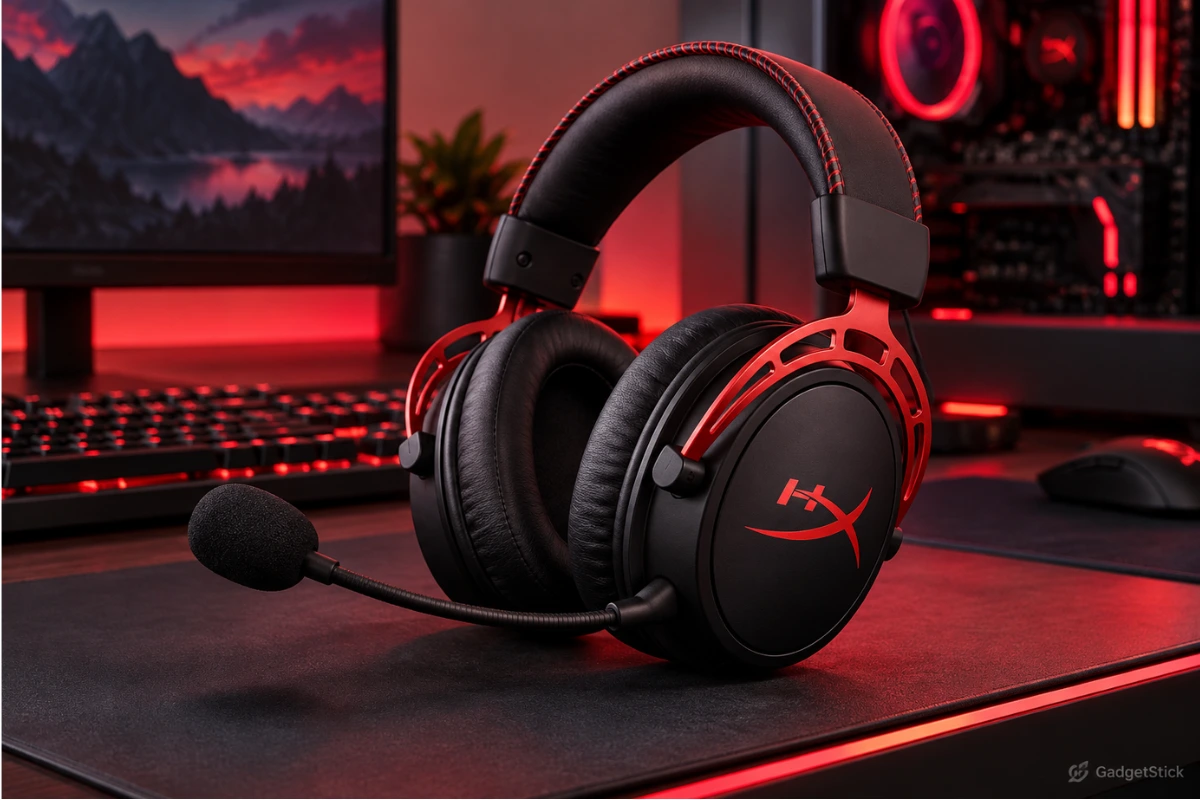
84/100
Research-based editorial score
Best Battery Life
Best for: Mainly PC gamers who prioritize battery endurance and want to charge their headset as infrequently as possible.
Standout strength: Up to 300 hours of claimed battery life.
Main trade-off: No Bluetooth and a less flexible connection package than newer rivals.
Key Specs
| Wireless | Dedicated 2.4GHz adapter |
| Bluetooth | Not supported |
| Mic | Detachable bi-directional noise-cancelling |
| Battery Claim | Up to 300 hours |
| Earpads | Memory-foam design |
| Frame | Aluminum |
The Cloud Alpha Wireless has one job in this list that nobody else really challenges: battery endurance. HyperX claims more than 300 hours from a charge. Even if your real-world runtime is lower because of volume, age, and usage patterns, the gap between this and a typical 20- to 80-hour headset is still enormous.
For Discord, the headset uses a detachable bi-directional noise-cancelling microphone and a dedicated 2.4GHz wireless adapter. The design is simpler than the newer dual-wireless headsets in this guide, but that simplicity can be a positive if your setup is mostly PC and you do not care about Bluetooth.
The battery-focused positioning is especially relevant if your headset stays at one PC for gaming and Discord. You trade newer connection flexibility for a simpler dedicated wireless setup, which is a reasonable choice when phone pairing is not part of your routine.
The large manufacturer battery figure should not be mistaken for a promise about your own usage. Volume, battery age, and use patterns still matter. Likewise, its detachable noise-cancelling mic gives you the communication hardware described here, not a reason to assume it beats the newer microphone-focused models in actual calls. Choose it for fewer charging interruptions rather than the broadest feature set.
Pros
- Massive battery claim
- dedicated 2.4GHz link
- comfortable memory-foam design
- durable aluminum frame.
Cons
- No Bluetooth
- older feature set
- mic system is less ambitious than the newest Razer/Audeze/SteelSeries options.
Who should buy it: PC-first gamers who dislike charging interruptions and do not need Bluetooth or a multi-device audio workflow.
Who should skip it: Buyers who want phone Bluetooth, newer multi-device flexibility, or the most ambitious microphone hardware in this comparison.
Bottom Line: Choose the Cloud Alpha Wireless if charging is the thing you hate most about wireless headsets and your setup is mainly PC.
4. HyperX Cloud III S Wireless — Best Multi-Device HyperX Pick
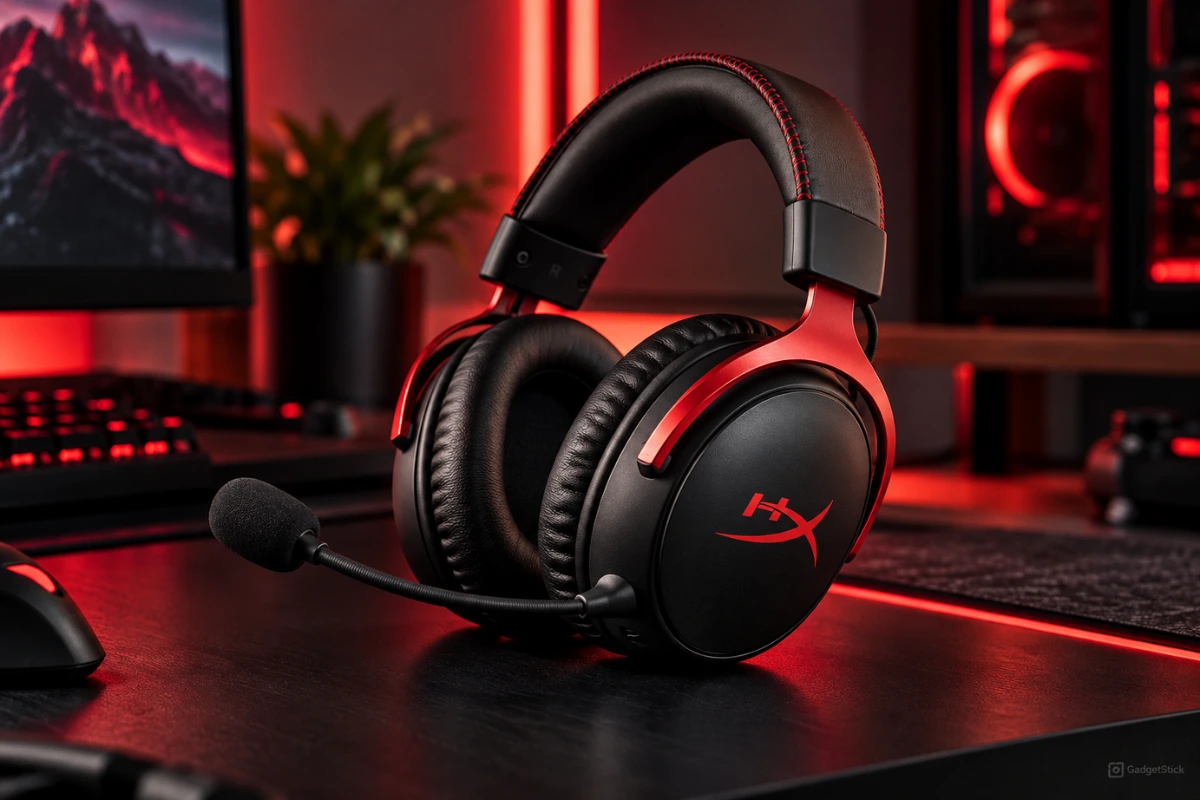
86/100
Research-based editorial score
Best Multi-Device HyperX Pick
Best for: Buyers who want a HyperX headset with long claimed battery life and the flexibility to use both gaming devices and Bluetooth sources.
Standout strength: Long battery life plus both 2.4GHz and Bluetooth.
Main trade-off: Strong all-rounder, but not the clear winner in mic hardware, sound, or dual-audio multitasking.
Key Specs
| Wireless | 2.4GHz + Bluetooth 5.3 |
| Boom Mic | Detachable, unidirectional |
| Additional Mic | Built-in microphone |
| Battery Claim | Up to 120 hours on 2.4GHz |
| Listed Charge Time | Five hours |
| Device Fit | Gaming PC, console, mobile device, and handheld; check the exact platform version |
The Cloud III S Wireless is the more flexible HyperX option. It adds Bluetooth 5.3 to the dedicated 2.4GHz wireless connection, supports a wide range of platforms, and carries a claimed battery life of up to 120 hours on 2.4GHz. HyperX also lists a built-in microphone in addition to the detachable boom mic, which can be useful when you want a lower-profile mobile setup.
The detachable boom microphone is unidirectional, which is the one you should care about for Discord. The broader connectivity package makes the Cloud III S easier to move between a gaming PC, console, mobile device, and handheld than the Cloud Alpha Wireless.
The decision against the Cloud Alpha Wireless is straightforward: the Cloud III S gives up that model’s extreme battery emphasis in return for Bluetooth and broader device flexibility. Its 120-hour 2.4GHz figure remains a manufacturer claim, but it explains why this is the more versatile HyperX role in the list.
For Discord sessions, the detachable unidirectional boom remains the relevant microphone option; the built-in mic serves the lower-profile mobile use already described. Do not treat support for both wireless types as proof of simultaneous mixing. The five-hour listed charge time is also worth considering if you tend to leave charging until the headset is empty.
Pros
- 2.4GHz + Bluetooth
- up to 120-hour 2.4GHz battery claim
- wide compatibility
- detachable boom mic
- HyperX comfort focus.
Cons
- Five-hour listed charge time
- no category-leading Discord feature.
Who should buy it: HyperX buyers who move between gaming and mobile devices and want both Bluetooth and a long 2.4GHz battery claim.
Who should skip it: Buyers choosing solely for the strongest mic hardware, premium audio, or explicitly simultaneous game-and-phone mixing.
Bottom Line: The Cloud III S is the HyperX model to choose when you want long battery life but also need Bluetooth and broader device flexibility.
5. SteelSeries Arctis Nova 7 Wireless Gen 2 — Best for Simultaneous Bluetooth + Gaming
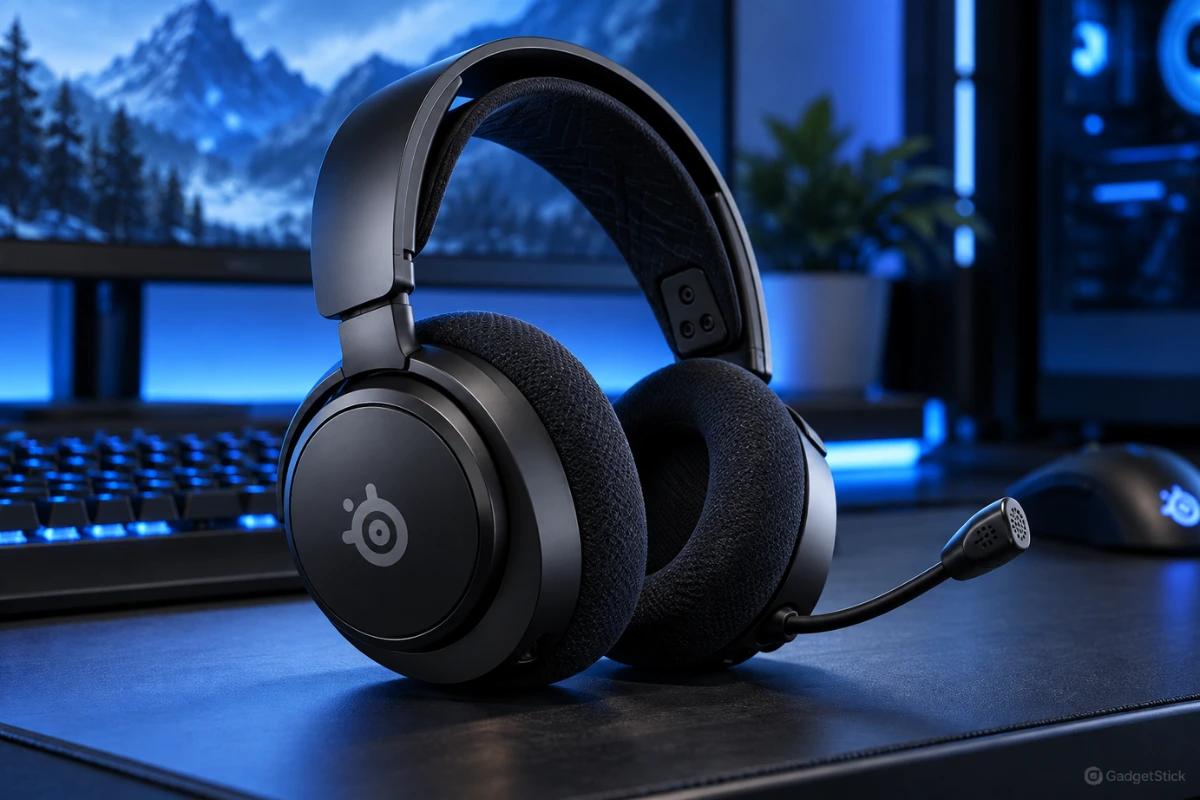
91/100
Research-based editorial score
Best for Simultaneous Bluetooth + Gaming
Best for: Gamers whose game audio and phone or Discord audio need to remain connected at the same time.
Standout strength: True dual-audio flexibility for game audio plus phone/Discord use.
Main trade-off: The feature set is most useful only if you actually use multiple audio sources.
Key Specs
| Wireless | 2.4GHz + simultaneous Bluetooth |
| Audio Workflow | Game audio and Bluetooth audio together |
| Mic | Noise-rejecting microphone |
| PC Processing | Sonar AI |
| Battery Claim | 50+ hours |
| Quick-Charge Claim | Around six hours of use from 15 minutes |
| Controls | Mobile app and Sonar controls |
The Arctis Nova 7 Wireless Gen 2 is the strongest multitasking headset in this comparison. SteelSeries explicitly supports simultaneous 2.4GHz game audio and Bluetooth audio, which means you can stay connected to a gaming device and a phone at the same time.
That matters if your Discord workflow is not always tied to one machine. You might game on a console and use Discord on a phone, play on PC while taking a mobile call, or keep a second audio source active without disconnecting your game headset.
SteelSeries also gives the Nova 7 Gen 2 a noise-rejecting mic and Sonar AI processing on PC. Battery life is rated at 50+ hours, and a 15-minute charge is claimed to provide around six hours of use.
Simultaneous mixing is the buying reason here, not simply having Bluetooth on the specification sheet. If your game is on one device and a call or Discord is on another, keeping both audio sources active avoids the connection-switching compromise of the Nova 5.
That flexibility also creates more choices about which device handles communication and which controls you use. Buyers who enjoy routing and software control can put those features to work; a single-PC user who never mixes sources may gain less. The battery and quick-charge numbers remain manufacturer claims rather than runtime measured in your particular mixed-audio setup.
Pros
- Simultaneous 2.4GHz + Bluetooth
- 50+ hour battery claim
- mobile app
- Sonar controls
- noise-rejecting mic.
Cons
- More software and routing options to manage
- not the simplest plug-and-forget headset.
Who should buy it: Players who game on one device while keeping a phone, mobile Discord, or another Bluetooth audio source active alongside it.
Who should skip it: Single-source users who want the simplest plug-and-forget setup and will not use simultaneous audio or the extra routing controls.
Bottom Line: If your gaming and communication live on different devices, the Nova 7 Gen 2 solves a problem most headsets still make awkward.
6. Audeze Maxwell 2 — Best Premium Audio
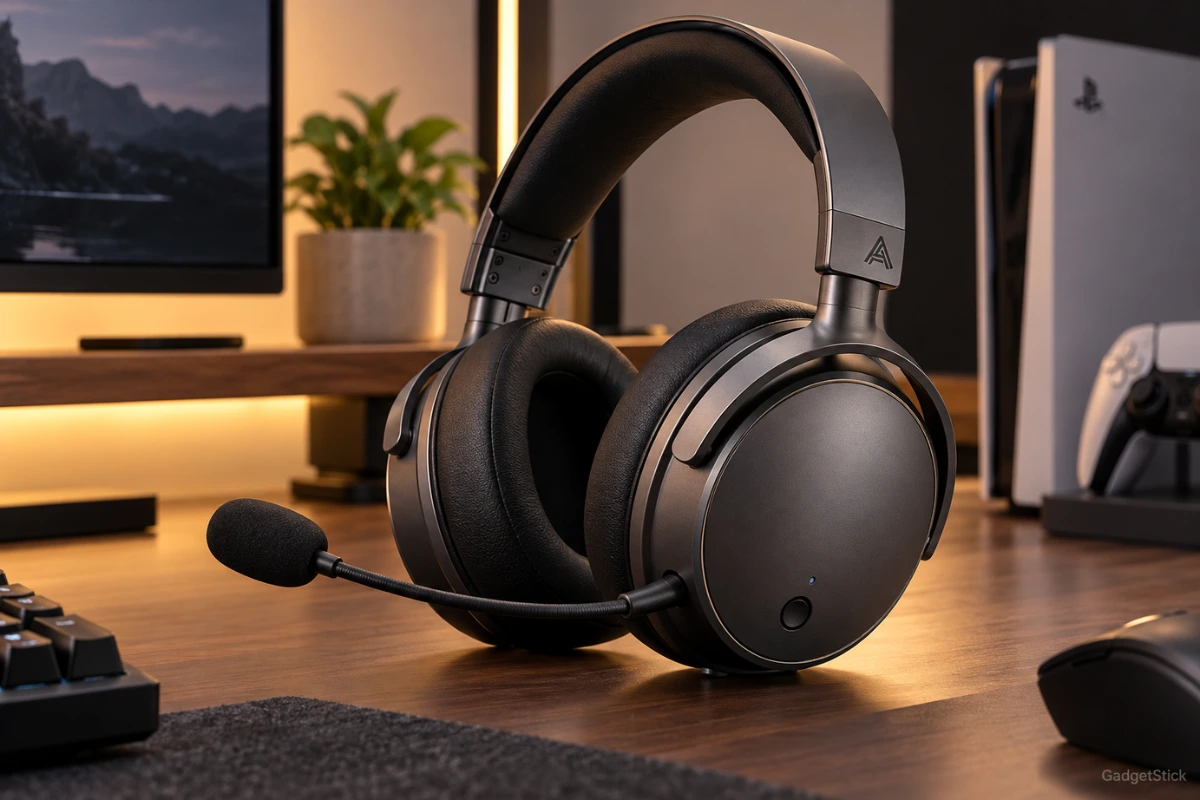
92/100
Research-based editorial score
Best Premium Audio
Best for: Buyers who value premium gaming sound as much as Discord communication and accept a heavier headset.
Standout strength: Premium planar sound plus one of the most serious microphone systems in the group.
Main trade-off: 560 g weight can be tiring in long sessions.
Key Specs
| Drivers | 90 mm planar magnetic |
| Listed Frequency Response | 10 Hz–50 kHz |
| Boom Mic | Detachable Shure hypercardioid |
| Mic Processing | Beamforming and physical/AI noise reduction |
| Wireless | Low-latency USB-C dongle + Bluetooth 5.3 |
| Battery Claim | 80+ hours |
| Weight | 560 g |
The Audeze Maxwell 2 is the premium sound-first choice. It uses 90 mm planar magnetic drivers rather than the conventional dynamic drivers found in most gaming headsets, and Audeze lists a 10 Hz–50 kHz response with very low stated distortion.
For Discord, the microphone system is equally serious. The detachable boom mic is a Shure hypercardioid design, and Audeze combines it with beamforming and physical/AI noise reduction. Audeze says the boom mic includes noise filters designed to reduce additional background sound.
The wireless package includes a low-latency USB-C dongle and Bluetooth 5.3 with modern codec support, including LE Audio-related features. Battery life is rated at more than 80 hours.
The downside is obvious before you even turn it on: 560 g. That is a lot of headset for a long Discord session. Some buyers will accept the weight for the planar drivers and premium build. Others should not.
Maxwell 2 makes the most sense when the purchase is about both listening and communication. The planar drivers and serious microphone system support that combined positioning; they are a less compelling justification if all you need is routine Discord voice chat. Manufacturer frequency-response and distortion statements should not be read as a listening result measured by GadgetStick.
The weight is the decision you should resolve first. At 560 g, accepting the extra mass is part of choosing this audio-first package, especially for long sessions. Its 80+ hour battery claim and flexible wireless features do not cancel that physical trade-off. A buyer who dislikes heavier headsets should not choose it solely because of its high editorial score.
Pros
- 90 mm planar drivers
- Shure boom mic
- beamforming
- 80+ hour battery claim
- low-latency USB-C wireless
- Bluetooth 5.3.
Cons
- Heavy
- premium overkill if Discord clarity is your only priority.
Who should buy it: Sound-first gamers who also want a serious boom-mic system and are comfortable with the 560 g weight.
Who should skip it: Buyers who only need basic Discord clarity, or who place a lighter long-session headset ahead of the planar audio package.
Bottom Line: Maxwell 2 is the headset for buyers who want excellent gaming audio and a serious communication system in the same package—and are comfortable with the extra weight.
7. Logitech G PRO X Wireless — Best Proven Esports Pick
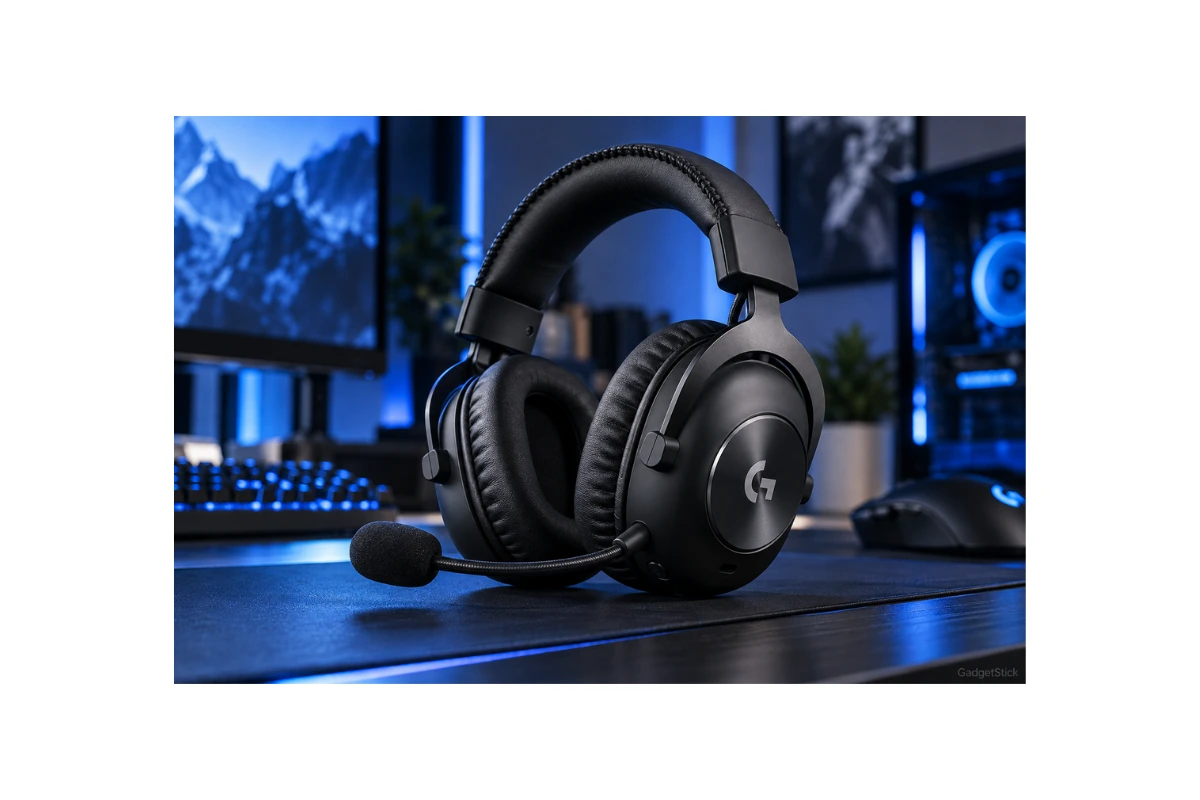
82/100
Research-based editorial score
Best Proven Esports Pick
Best for: PC-first esports players who value BLUE VO!CE microphone controls and a straightforward LIGHTSPEED wireless setup.
Standout strength: BLUE VO!CE processing and a simple LIGHTSPEED PC-focused design.
Main trade-off: Battery and connectivity are behind newer competitors.
Key Specs
| Wireless | 2.4GHz LIGHTSPEED |
| Bluetooth | Not supported |
| Mic Processing | BLUE VO!CE through G HUB on PC |
| Voice Filters | Noise reduction, compression, and de-essing |
| Battery Claim | 20+ hours |
| Listed Wireless Range | 15 m |
| Build | Aluminum/steel structure with memory-foam pads |
The Logitech G PRO X Wireless is the oldest-feeling product in this lineup, but it still has a clear reason to exist: it is a straightforward LIGHTSPEED 2.4GHz esports headset with Logitech’s BLUE VO!CE microphone processing.
BLUE VO!CE lets PC users apply filters such as noise reduction, compression, and de-essing through G HUB. That software layer can be useful for Discord because it gives you more control over how your voice is presented instead of relying only on the raw boom mic.
The trade-off is age. Logitech lists 20+ hours of battery life and a 15 m wireless range, which now looks modest next to 50-, 80-, 120-, and 300-hour rivals. It also lacks the Bluetooth flexibility found on several newer options.
The reason to shortlist the PRO X Wireless is control over the PC voice-processing chain. BLUE VO!CE gives you the filters already described, which is a clear fit for someone willing to adjust how their voice is presented in Discord rather than choosing primarily for the newest connection options.
The trade-off is practical: a 20+ hour battery claim means planning charging more often than with the longer-rated alternatives in this guide, while the lack of Bluetooth limits phone flexibility. The listed 15 m range is not a guarantee for every room. This remains a software-and-PC-workflow choice, not the strongest option for battery endurance or multi-device use.
Pros
- LIGHTSPEED wireless
- BLUE VO!CE filters
- sturdy aluminum/steel structure
- memory-foam pads.
Cons
- 20+ hour battery claim is dated
- no Bluetooth
- fewer modern multi-device features.
Who should buy it: Logitech-focused PC gamers who want LIGHTSPEED wireless and are willing to use G HUB to adjust BLUE VO!CE filters.
Who should skip it: Buyers who prioritize long battery intervals, phone Bluetooth, or modern multi-device flexibility.
Bottom Line: The PRO X Wireless still makes sense if you want a proven, PC-first Logitech headset and value BLUE VO!CE more than modern battery or multi-device features.
Head-to-Head: Which One Should You Actually Buy?
| If You Care Most About… | Pick | Why |
|---|---|---|
| Best overall Discord + gaming balance | Razer BlackShark V3 Pro | Strong mic hardware, ANC, 2.4GHz, Bluetooth, controls, manageable weight |
| Best value | SteelSeries Arctis Nova 5 Wireless | High-bandwidth mic, long battery, good app/software support |
| Battery life | HyperX Cloud Alpha Wireless | 300-hour manufacturer claim |
| HyperX + Bluetooth flexibility | HyperX Cloud III S | 2.4GHz + Bluetooth + long battery |
| Game audio + phone at the same time | SteelSeries Arctis Nova 7 Gen 2 | Simultaneous 2.4GHz and Bluetooth |
| Premium sound | Audeze Maxwell 2 | Planar magnetic drivers and serious mic system |
| BLUE VO!CE processing | Logitech G PRO X Wireless | Strong PC software voice filters |
Mistakes to Avoid When Buying a Discord Headset
Buying by Driver Size Alone
A 50 mm driver does not tell you whether your voice will sound clean, whether the headset will stay connected, or whether you can wear it for four hours.
Assuming Bluetooth Is the Best PC Gaming Connection
Bluetooth is convenient, but a dedicated 2.4GHz gaming link is usually the better primary connection for low-latency game audio and two-way voice communication on PC.
Ignoring Weight
The heaviest headset in this guide is also one of the most technically impressive. That does not mean it is automatically the most comfortable choice for you.
Treating Manufacturer Battery Claims as Guaranteed
Battery claims are normally measured under specific test conditions. Volume, wireless mode, processing features, battery age, and usage patterns can change real-world runtime.
Other Headsets We Considered
We did not include every popular wireless headset. The point of this guide is to cover seven distinct buyer roles, not to create a giant list where several products solve the same problem. We also avoided using retailer rating counts as a scoring input because those numbers change constantly and do not tell us how well a headset fits Discord specifically.
Frequently Asked Questions
What is the best wireless gaming headset for Discord?
For most serious PC gamers, our research-based pick is the Razer BlackShark V3 Pro because it combines a strong full-band boom mic, low-latency 2.4GHz wireless, hybrid ANC, game/chat controls, Bluetooth, and competitive battery life.
Is 2.4GHz better than Bluetooth for Discord gaming?
For a gaming PC, a dedicated 2.4GHz wireless link is generally the better primary connection because it is designed around lower-latency game audio and headset communication. Bluetooth remains useful for phones, secondary devices, and casual listening.
Which headset has the longest battery life here?
HyperX claims up to 300 hours for the Cloud Alpha Wireless, which is far above the other products in this comparison. Real-world battery life will vary.
Which headset is best if I use Discord on my phone while gaming?
The SteelSeries Arctis Nova 7 Wireless Gen 2 is the clearest fit because it supports simultaneous 2.4GHz game audio and Bluetooth audio.
Is the Audeze Maxwell 2 worth it just for Discord?
Probably not if voice chat is your only priority. Its appeal is the combination of premium planar magnetic sound, a serious Shure boom mic, long battery life, and flexible wireless audio. It makes more sense if you care about both game sound and communication quality.
Final Answer
The best wireless gaming headset for Discord depends on what you are trying to optimize.
The Razer BlackShark V3 Pro is our best overall pick because it combines one of the strongest microphone hardware packages here with low-latency wireless, ANC, game/chat controls, Bluetooth, and solid battery life.
The SteelSeries Arctis Nova 5 Wireless is the value choice. The HyperX Cloud Alpha Wireless is the battery specialist. The Arctis Nova 7 Gen 2 is the best fit for simultaneous game and phone audio. And the Audeze Maxwell 2 is the premium choice if sound quality matters as much as Discord.
Do not buy a headset based only on the longest feature list. Pick the one whose microphone, wireless design, comfort, and device workflow match the way you actually use Discord.
How We Researched This Comparison
We reviewed current manufacturer specifications and support information for all seven headsets, focusing on microphone design, connection type, battery claims, weight, controls, software features, compatibility, and multi-device behavior. We then applied a Discord-specific scoring model that gives microphone communication and wireless performance more weight than features that matter less for voice chat.
GadgetStick does not claim hands-on testing unless we have actually tested the product ourselves. These scores are research-based editorial comparisons designed to help buyers understand fit and trade-offs, not to imitate laboratory measurements we did not perform.
Editorial Note
Wireless headset firmware, software features, compatibility, and manufacturer battery claims can change over time. Product availability also varies. We recommend checking the exact model and platform version before buying, especially for headsets sold in separate PC, PlayStation, or Xbox variants.