

Battery life is one of the biggest differences between modern handheld gaming PCs. Two devices can use similarly sized batteries and still deliver very different unplugged gaming time because the processor, power mode, display, frame-rate cap, and operating system all change how quickly that battery drains.
That matters even more in 2026, because the fastest handheld is not automatically the one you will want for a long flight, train ride, or couch session. If you care more about staying unplugged than chasing the highest possible FPS, the comparison looks very different.
Quick Answer
Based on the most useful like-for-like gaming battery data available right now, the MSI Claw 8 EX AI+ is the standout for battery-focused handheld gaming. In PC Gamer’s PCMark 10 gaming battery test, it lasted 308 minutes in Endurance mode and 153 minutes at its default setting. In the same test set, the ROG Xbox Ally X lasted 125 minutes and the Lenovo Legion Go S lasted 126 minutes.
There is an important catch: battery life changes dramatically with power mode. Notebookcheck’s Cyberpunk 2077 battery testing measured the Claw 8 EX AI+ at 1 hour 39 minutes in a 35W manual mode, 2 hours 21 minutes in AI Engine mode, and 3 hours 19 minutes in Endurance mode. So the best handheld for battery life is really the one that stays efficient at the performance level you actually use.
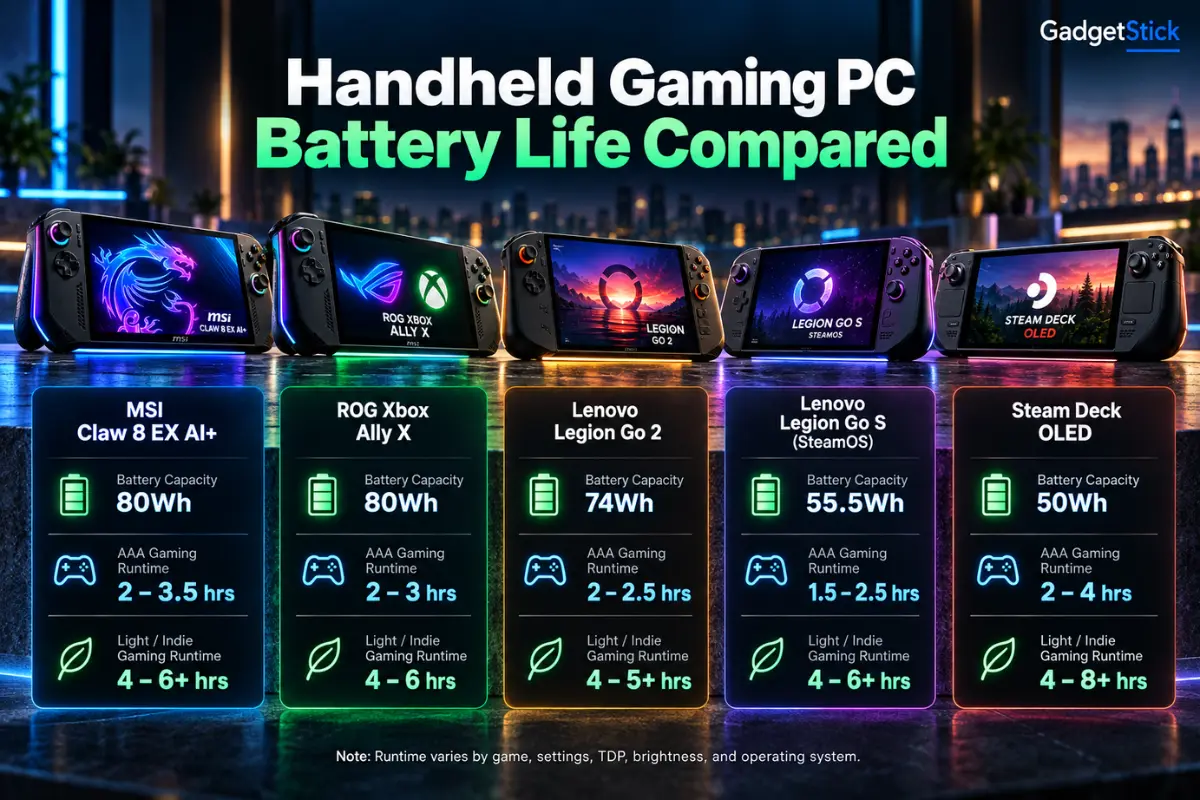
Handheld Gaming PC Battery Life at a Glance
The table below separates battery capacity from measured gaming runtime. That distinction matters because watt-hours tell you how much energy a battery can store, not how efficiently a handheld uses it.
| Handheld | Battery | Measured / Claimed Runtime | What Stands Out |
|---|---|---|---|
| MSI Claw 8 EX AI+ | 80Wh | 308 min Endurance; 153 min default in PCMark 10 gaming | Best like-for-like battery result in the current comparison |
| ROG Xbox Ally X | 80Wh | 125 min in the same PCMark 10 gaming test | Strong battery capacity, but lower runtime in this test |
| Lenovo Legion Go S | 55.5Wh | 126 min in the same PCMark 10 gaming test | Smaller battery, surprisingly close runtime |
| Steam Deck OLED | 50Wh | Valve rates 3-12 hours depending on workload | Excellent low-power efficiency, especially in lighter games |
| Lenovo Legion Go Gen 2 | 74Wh | No directly comparable result used here | Large battery, but we are not mixing unlike test methods |
Important: the Steam Deck OLED and Legion Go Gen 2 rows are not directly comparable with PC Gamer’s PCMark numbers. We included their battery capacities and official runtime context, but we are not pretending different test methods are the same benchmark.
Why Battery Capacity Alone Does Not Tell the Whole Story
An 80Wh battery gives a handheld more energy to work with than a 50Wh battery, but capacity is only half of the equation. The other half is power draw. A device pulling 30W to 40W during a demanding game will empty even a large battery much faster than a handheld running the same type of session at 10W to 15W.
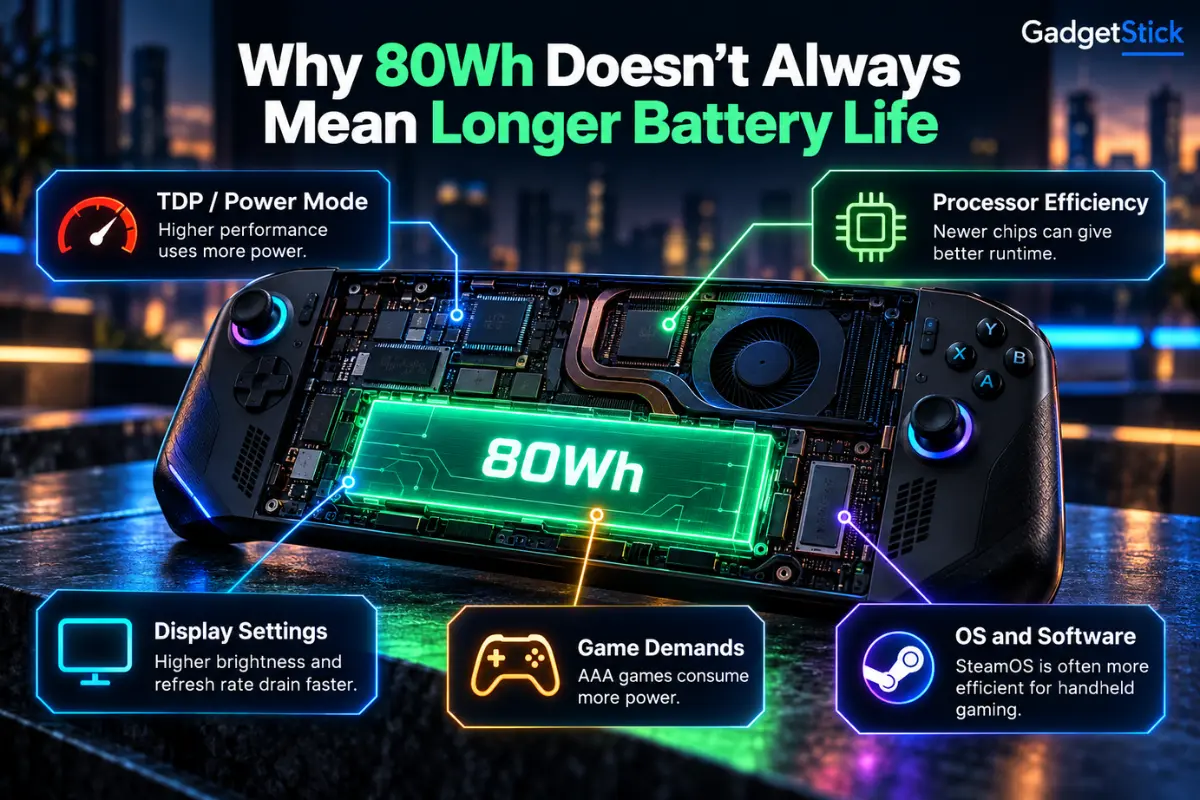
This is why understanding TDP in a handheld gaming PC matters. Lower power limits can reduce peak FPS, but they can also cut heat, fan speed, and battery drain. On a portable device, that trade-off is often more useful than squeezing out a few extra frames.
Display settings matter too. Higher brightness, higher refresh rates, and rendering at 1080p or 1200p all increase power use. Frame-rate caps can be especially effective because the system no longer wastes energy rendering frames you may not need on a small screen.
MSI Claw 8 EX AI+: The Strongest Battery Result Right Now
The MSI Claw 8 EX AI+ pairs an 80Wh battery with Intel’s Arc G3 Extreme platform. MSI’s official specifications list the 80Wh battery, while independent testing is what makes the device interesting from a battery-life perspective.
PC Gamer measured 308 minutes in Endurance mode in its gaming battery test. That is more than five hours in that specific benchmark and roughly double the device’s own 153-minute default result. PC Gamer also explains that Endurance mode reduces the power ceiling and targets a much more efficiency-focused operating range.
Notebookcheck shows the same pattern in a real game. In Cyberpunk 2077 at 1080p Ultra, the Claw lasted 1:39 at 35W, 2:21 in AI Engine mode, and 3:19 in Endurance. Those numbers are not identical to PCMark because the workloads are different, but both tests point to the same conclusion: the Claw’s battery advantage becomes much larger when you use its efficient power mode.
That makes it particularly interesting for long sessions where a stable 30-60 FPS experience matters more than maximum benchmark performance. The downside is that it is a large, premium handheld, so battery life is only one part of the buying decision.
ROG Xbox Ally X: Big Battery, Strong All-Round Option
The ROG Xbox Ally X family is built around the same basic idea: give a high-performance Windows handheld a large battery. ASUS lists an 80Wh battery for both the 2025 model and the newer 2026 ROG Xbox Ally X20.
In PC Gamer’s comparable battery chart, the tested ROG Xbox Ally X managed 125 minutes. That is clearly behind the Claw 8 EX AI+ in Endurance mode, but it still sits in a useful range for demanding Windows gaming, and ASUS continues to push lower-power modes as a way to extend unplugged play.
We would not use the 125-minute result as a direct battery verdict for every newer Ally X configuration, especially the 2026 X20. The hardware has changed, and a fair comparison needs a repeatable test on the exact model. For now, the useful takeaway is that an 80Wh battery does not guarantee the same runtime across different platforms.
Steam Deck OLED: Smaller Battery, Excellent Efficiency
The Steam Deck OLED uses a smaller 50Wh battery, yet it remains one of the clearest examples of why efficiency matters. Valve rates the OLED model for 3 to 12 hours of gameplay, depending on the game and settings.
You should not read that 3-12 hour range as a direct comparison with a Windows handheld running a demanding AAA benchmark. A lightweight indie game at a low power limit can run for many hours, while a modern AAA title can drain the same device much faster.
Still, SteamOS, the Deck’s lower-power hardware, a 90Hz OLED display, and mature power controls make it especially attractive if your library includes indie games, older titles, emulation, or games that run well at modest wattage.
Lenovo Legion Go S: Smaller Battery, Competitive Runtime
Lenovo’s Legion Go S uses a 55.5Wh battery, substantially smaller than the 80Wh packs in the Claw and Ally X. Yet PC Gamer measured 126 minutes in its gaming battery test, essentially matching the tested Ally X in that specific benchmark.
That does not make the Legion Go S the overall battery champion. It does show why a battery-capacity-only comparison can be misleading. Platform efficiency, OS behavior, frame-rate targets, and power limits can close a surprisingly large gap in watt-hours.
What About the Lenovo Legion Go Gen 2?
The Legion Go Gen 2 is one of the most interesting current-generation handhelds because Lenovo increased battery capacity to 74Wh. Lenovo’s US product page also highlights an 8.8-inch 144Hz OLED display and user-adjustable performance profiles.
We are not putting a made-up battery ranking next to it. A 74Wh spec alone does not tell us whether it will outlast the Claw, Ally X, or a lower-power SteamOS device in the same game. Until we have a directly comparable test, the honest position is to treat it as a promising large-battery option rather than declare it the winner.
What Happens to Battery Life in AAA Games?
AAA games expose the limits of every handheld battery. Newer games can keep the CPU, GPU, memory, display, and cooling system busy at the same time, which pushes total power draw much higher than a 2D indie game or older title.
That is why a handheld advertised for several hours of gameplay may still last closer to two hours in a demanding title at high settings. It is also why a battery comparison should always tell you what workload was used, not just quote a single runtime number.
If your handheld already seems to be losing charge much faster than expected, our guide to why a handheld gaming PC battery drains so fast covers the common settings and background processes worth checking.
How Much Does Lower TDP Help?
Potentially, a lot. The Claw 8 EX AI+ is the clearest example in current testing: PC Gamer’s Endurance result was roughly twice its default runtime. Notebookcheck also saw a major jump between the 35W mode and Endurance mode in Cyberpunk 2077.
The practical goal is not simply to choose the lowest wattage. Drop power too far and frame rates can become unstable. A better approach is to find the lowest TDP that still holds the frame-rate target you actually want, then cap FPS so the system is not wasting power rendering unnecessary frames.
Fan Noise and Comfort Matter on Long Sessions Too
Battery life is only part of what makes a handheld comfortable for two or three hours. A device can last longer and still become tiring if the grips do not suit your hands, the chassis is heavy, or the fans constantly ramp up next to you.
Lower power modes often help here as well because less power usually means less heat for the cooling system to remove. That can reduce fan activity while extending runtime. It is one reason we would rather look at battery life, power mode, thermals, and ergonomics together instead of treating battery capacity as a standalone spec.
If you are still deciding whether a handheld makes sense for your use case at all, start with our guide to whether handheld gaming PCs are worth it in 2026. If portability is competing with raw performance in your decision, our gaming laptop vs handheld gaming PC comparison covers that trade-off in more detail.
How to Get Longer Battery Life From Any Handheld Gaming PC
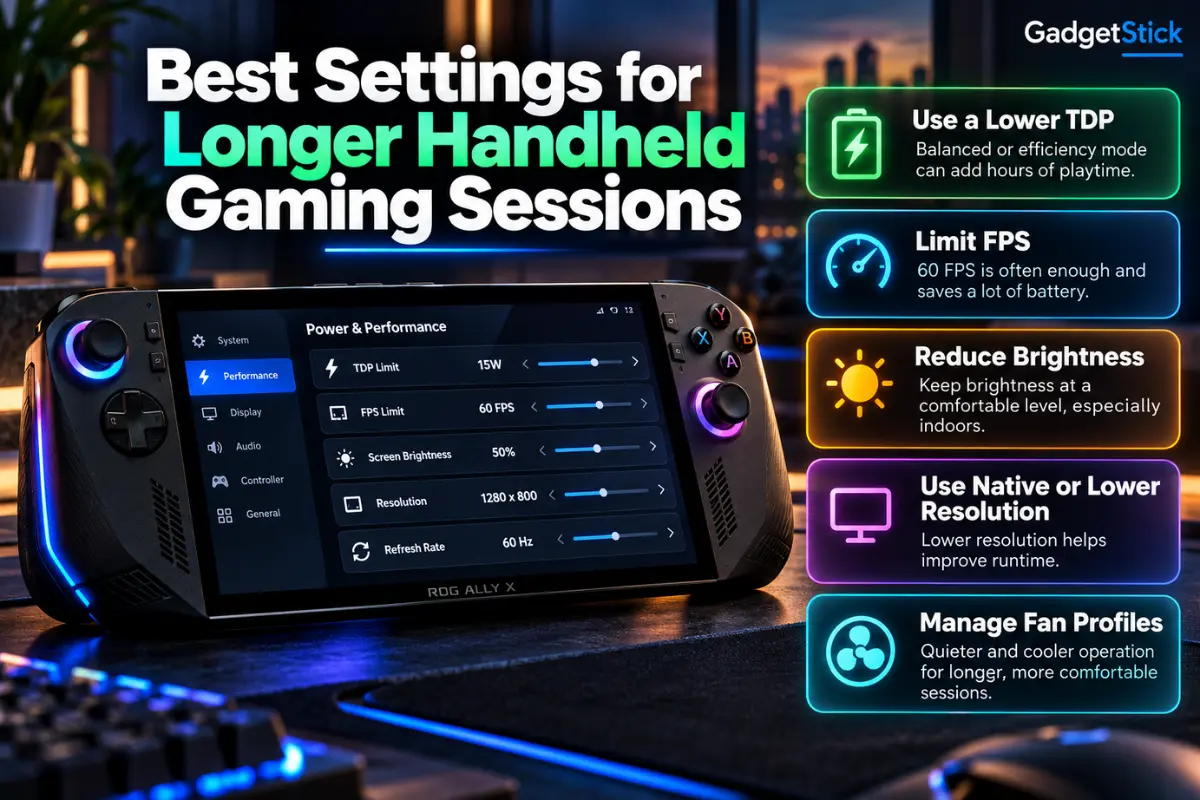
Use a realistic FPS cap. For many games, locking to 30, 40, or 45 FPS can save meaningful power without making the game feel poor on a handheld screen.
Lower the TDP before lowering every visual setting. A sensible power target can cut consumption across the whole system. Then tune graphics around the performance you still have.
Reduce display power. Brightness and refresh rate both matter. You do not need maximum brightness indoors, and a 120Hz panel does not need to run at 120Hz for a 40 FPS game.
Use upscaling when it actually helps. Rendering at a lower internal resolution can reduce GPU load, especially in demanding AAA games.
Close unnecessary launchers and background apps. Windows handhelds can accumulate background processes that quietly use CPU time, network activity, and memory.
Frequently Asked Questions
Which handheld gaming PC has the best battery life right now?
In the like-for-like gaming battery data we reviewed, the MSI Claw 8 EX AI+ produced the strongest result, especially in Endurance mode. That does not mean it will last longest in every game or every power profile.
Is an 80Wh battery always better than a 50Wh battery?
No. A larger battery stores more energy, but runtime also depends on power draw. A more efficient handheld running at a lower TDP can sometimes stay surprisingly close to a much larger battery.
Does limiting FPS improve handheld battery life?
Usually, yes. If the GPU no longer needs to render as many frames, system power consumption can fall. The exact gain depends on the game, device, and power profile.
Is Steam Deck OLED better for battery life than Windows handhelds?
It can be excellent in lower-power games, but there is no single answer across every workload. Windows handhelds with larger batteries can be stronger in demanding gaming, while Steam Deck OLED is particularly efficient in games that run well at modest power levels.
Final Answer
If battery life is your top priority in a high-performance handheld, the MSI Claw 8 EX AI+ currently has the strongest evidence in comparable gaming tests, and its Endurance mode is the main reason. The ROG Xbox Ally X remains a strong large-battery alternative, while the Steam Deck OLED makes a compelling case when efficiency and lower-power gaming matter more than maximum performance.
The bigger lesson is that you should not shop by watt-hours alone. Look at the battery, the chip’s efficiency, the power modes you will actually use, and the frame rate you are happy to target. Those four things tell you far more about real handheld battery life than the capacity number on the spec sheet.
How We Researched This Comparison
We separated manufacturer specifications from independent battery testing. Battery capacities came from official MSI, ASUS, Lenovo, and Valve product information. For gaming runtime, we prioritized repeatable independent testing where multiple devices were measured under the same methodology.
We also avoided combining unrelated battery tests into a fake ranking. A PCMark gaming loop, Cyberpunk 2077 at a defined power mode, and a manufacturer’s broad “up to” range answer different questions. Where the methodology was not directly comparable, we labeled it instead of forcing the numbers into one leaderboard.
GadgetStick did not physically benchmark every handheld in this article. The comparison is research-based and uses published specifications plus independent testing from established hardware reviewers.
Editorial Note
This article is focused on battery life and long-session usability, not on declaring the fastest handheld overall. A device that lasts longer at a lower power limit may not deliver the highest FPS, and a high-performance model may still be the better choice for someone who usually plays near an outlet. The right comparison depends on how you actually use the device.
