
Handheld gaming PCs have gone from niche experiments to a serious part of the PC gaming market.
Steam Deck OLED, Lenovo Legion Go S and Legion Go Gen 2, ASUS ROG Ally models, and newer Xbox-branded Ally hardware now cover everything from relatively simple SteamOS machines to high-end Windows handhelds with OLED displays, 120–144Hz refresh rates, USB4, large batteries, and desktop-class accessory support.
But that does not automatically make a handheld gaming PC a smart purchase.
The real question is not whether these devices are “powerful enough.” It is whether portable access to your PC game library solves a problem you actually have.
For some people, a handheld becomes the device that gets them gaming again. For others, it turns into an expensive machine that sits next to a more capable desktop or laptop.
This guide breaks down where handheld gaming PCs genuinely make sense in 2026, where they still compromise, and how to decide before spending the money.
Quick Answer: Are Handheld Gaming PCs Worth It?
For the right buyer, yes.
A handheld gaming PC makes the most sense if you:
- already own PC games
- want to play away from your desk
- travel regularly
- game on the couch or in bed
- prefer shorter gaming sessions
- want a second gaming device rather than your only computer
- value portability more than maximum FPS per dollar
It makes less sense if you:
- mainly play demanding AAA games at high settings
- expect desktop-like performance
- care heavily about battery life
- want a large display
- already use a gaming laptop comfortably everywhere
- dislike tweaking settings
- want the best performance for the money
| Your Situation | Does a Handheld Make Sense? |
|---|---|
| You already own a desktop gaming PC | Often yes |
| You travel frequently | Yes |
| You mostly game on the couch or bed | Yes |
| You want one device for everything | Maybe not |
| You mainly play indie / older games | Strong fit |
| You mainly play demanding new AAA titles | Depends on expectations |
| You care about battery life above all else | Consider carefully |
| You want maximum performance per dollar | Usually no |
| You already have a capable gaming laptop | Depends on portability needs |
| You own a large Steam library | Very useful |
The best way to think about a handheld is usually: a different place to play your PC games — not a miniature replacement for a high-end desktop.
What Is a Handheld Gaming PC, Really?
A handheld gaming PC is essentially a compact computer built around an integrated screen, gamepad controls, a PC-class processor and GPU, internal SSD storage, Wi-Fi and Bluetooth, USB-C or USB4 connectivity, and Windows or SteamOS.
Unlike a traditional console, these devices can run PC software and connect to docks, external displays, keyboards, mice, storage, controllers, and other accessories.
Valve’s Steam Deck OLED, for example, uses SteamOS and includes a 7.4-inch OLED display, up to 90Hz refresh rate, a 50Wh battery, and NVMe storage. Valve rates gameplay battery life at roughly 3–12 hours depending on the workload. Valve Steam Deck
At the other end of the spectrum, ASUS’s 2026 ROG Xbox Ally X20 uses Windows 11, a Ryzen AI Z2 Extreme platform, a 7.4-inch 120Hz OLED display, 24GB of LPDDR5X memory, 1TB storage, and an 80Wh battery. ASUS specifications
That range is why “handheld gaming PC” no longer describes one type of device. Some prioritize simplicity. Others prioritize raw capability.
Why Handheld Gaming PCs Can Be Worth It
They Let You Play Games You Would Otherwise Skip
This is probably the biggest advantage.
A desktop gaming PC may be faster. A gaming laptop may have a larger screen. But neither matters if you do not feel like sitting at your desk.
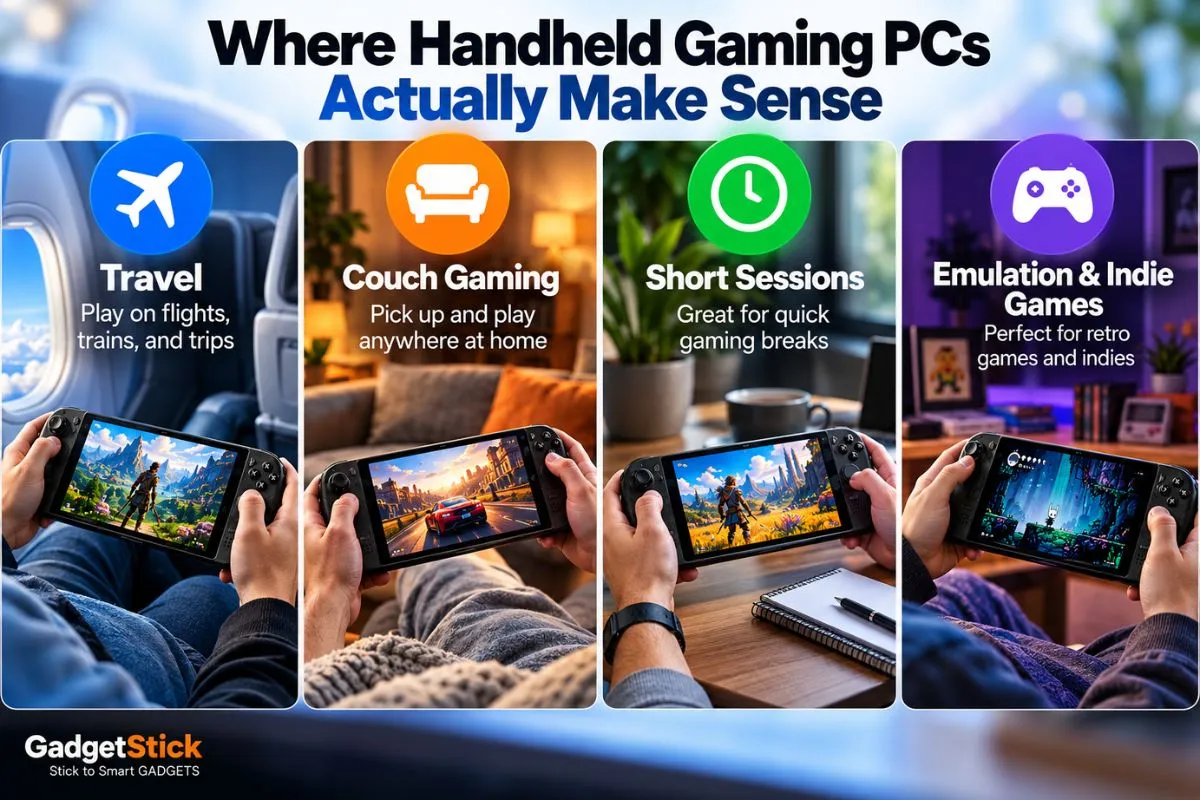
A handheld can turn 20 minutes before bed, a lunch break, time on a flight, a train journey, sitting on the couch, or waiting at an airport into actual gaming time.
That is why comparing a handheld only against desktop FPS misses part of the point. The value often comes from where and when you can play, not how many frames the device produces.
Your Existing PC Library Comes With You
For Steam users especially, this can be a major advantage.
You may already own dozens — or hundreds — of PC games. A handheld gives you another way to access that library rather than forcing you to buy the same games again on another platform.
SteamOS devices are particularly focused on making this experience feel more console-like, while Windows handhelds can offer broader access to launchers, Game Pass, Epic Games Store, and traditional PC applications.
Lenovo currently sells Legion Go S configurations with both SteamOS and Windows 11, which shows how the market is increasingly splitting between console-like simplicity and traditional Windows flexibility. Lenovo Legion Go S
Indie Games and Older Titles Fit Handhelds Extremely Well
Not every game needs maximum GPU performance.
Games with lower hardware requirements can run comfortably at reduced power, which can improve battery life, heat, and fan noise.
This is where handheld PCs often feel most natural.
Where Handheld Gaming PCs Still Compromise
Performance Is Still a Trade-Off
Modern handhelds are impressive. They are also working within strict power, cooling, and battery limits.
A desktop graphics card can consume more power by itself than an entire handheld gaming system.
So expecting a handheld to deliver the same resolution, graphics settings, frame rate, ray tracing, and consistency as a desktop PC is unrealistic.
High-end handhelds can run demanding games, but getting the best experience often means adjusting resolution, FSR or other upscaling, frame-rate targets, graphics presets, and power limits.
If your idea of PC gaming is Ultra settings at 1440p or 4K, a handheld should probably be a companion device rather than your main machine.
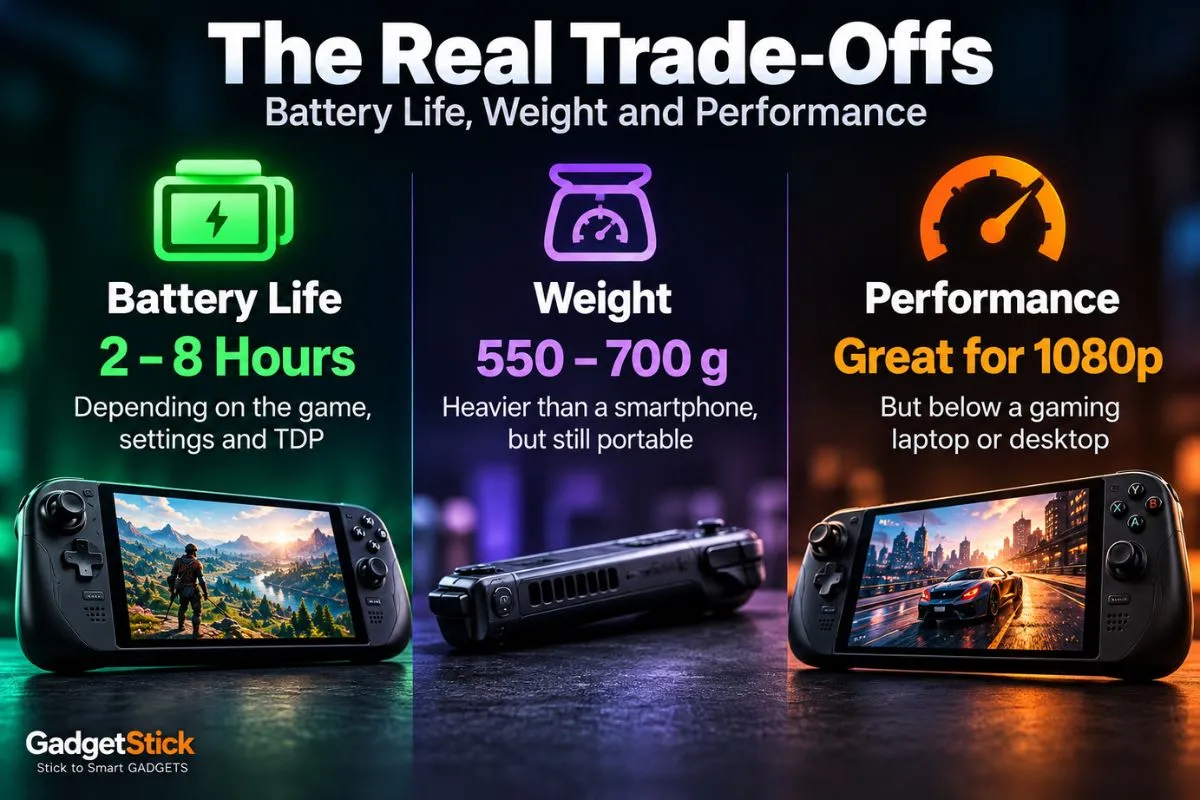
Battery Life Changes Dramatically by Game
Battery life is one of the least useful specifications to judge from a single number.
Valve rates Steam Deck OLED at approximately 3–12 hours because workload makes such a huge difference.
Manufacturers have responded by increasing battery capacity.
| Device | Battery |
|---|---|
| Steam Deck OLED | 50Wh |
| Lenovo Legion Go S | 55.5Wh |
| Lenovo Legion Go Gen 2 | 74Wh |
| ASUS ROG Xbox Ally X20 | 80Wh |
But a larger battery usually adds weight. That creates the constant handheld trade-off: more battery → more weight → less “handheld” feeling.
The Weight Problem Is Bigger Than It Looks on a Spec Sheet
A handheld PC may look small in photos. That does not mean it is light.
For context, Lenovo lists the Legion Go S from around 730 g, while ASUS lists its 2026 Xbox Ally X20 at 756 g.
That is well over a pound in your hands before you add a case or accessory.
For 15–30 minutes, this may be fine. For a two-hour session while lying down, wrist and arm fatigue can become much more noticeable.
This is one reason ergonomics matter almost as much as performance.
SteamOS vs Windows: This Choice Matters More Than It Used To
A few years ago, the operating system decision was relatively simple: Steam Deck = SteamOS and most competitors = Windows.
That is changing.
Lenovo now offers Legion Go S hardware with SteamOS, while Windows continues to dominate many performance-focused handhelds.
Why SteamOS Appeals to Handheld Users
- controller-first interface
- quick access to Steam
- simplified updates
- suspend/resume behavior
- less traditional desktop interaction
- generally console-like operation
The trade-off is that not every PC game or anti-cheat implementation works equally well.
Why Windows Still Matters
Windows gives you broader traditional PC compatibility.
That can make life easier if you rely on Xbox Game Pass, Epic Games Store, Battle.net, non-Steam launchers, PC utilities, or traditional Windows software.
The downside is that Windows was not originally designed around a small touchscreen and controller-only interaction.
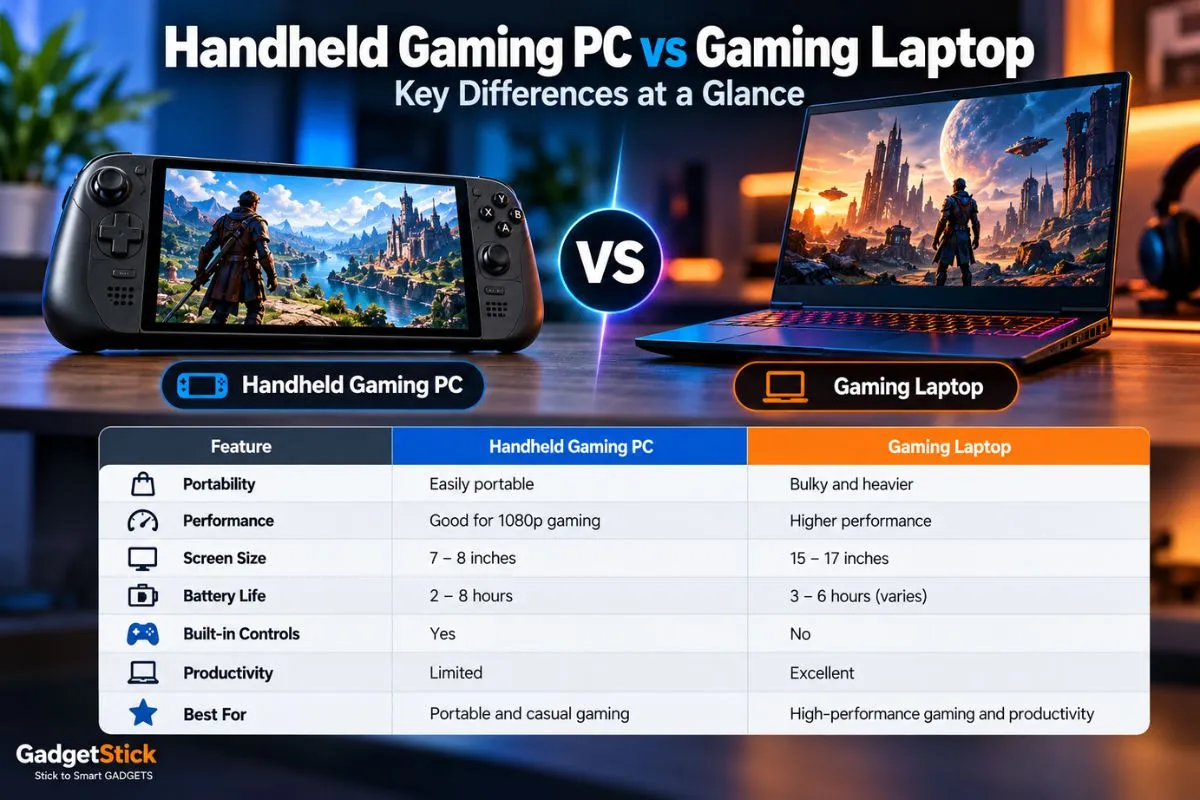
Can a Handheld Gaming PC Replace a Gaming Laptop?
For some people, yes. For most people, not completely.
| Priority | Handheld PC | Gaming Laptop |
|---|---|---|
| Portability | Excellent | Good |
| Raw performance | Moderate–High | Higher |
| Battery under gaming load | Limited | Limited |
| Screen size | Small | Much larger |
| Couch / bed gaming | Excellent | Average |
| Productivity | Limited | Excellent |
| Built-in controls | Yes | No |
| Upgrade flexibility | Limited | Better |
| Travel convenience | Excellent | Good |
Can a Handheld Gaming PC Replace a Desktop?
Technically, some handhelds can do far more than people expect.
Modern systems can connect to external monitors, keyboards, mice, Ethernet, external SSDs, docks, controllers, and eGPUs on compatible hardware.
But once you regularly add a dock, monitor, keyboard, mouse, charger, and external storage, you should ask whether buying a mini PC, laptop, or desktop would have been more sensible.
The beauty of a handheld is portability. If it spends 95% of its life permanently docked, you may be paying for portability you do not use.
What About the Screen?
Handheld displays have become significantly better.
Current devices range from high-refresh IPS panels to OLED screens with HDR.
- Steam Deck OLED: 7.4-inch OLED, up to 90Hz
- Lenovo Legion Go S: 8-inch, 1920×1200, 120Hz
- Lenovo Legion Go Gen 2: 8.8-inch OLED, 144Hz VRR
- ASUS ROG Xbox Ally X20: 7.4-inch 1080p OLED, 120Hz
The obvious temptation is to assume: higher resolution + higher refresh rate = automatically better.
Not necessarily. Driving more pixels uses more GPU power. On a handheld screen, a balanced 800p–1200p experience at a stable frame rate can sometimes feel better than chasing maximum resolution.
Handheld Gaming PCs Are Becoming More Expensive
This matters.
A premium handheld is no longer an impulse-buy companion in every case.
ASUS currently lists the 2026 ROG Xbox Ally X20 at $1,299.99 in the US, which puts it firmly into gaming-laptop territory.
At that point, the decision becomes much more serious.
Is portability worth giving up the performance, screen size, and flexibility I could get from another $1,000+ computer?
Who Should Buy a Handheld Gaming PC?
A Desktop Gamer Who Wants a Second Device
This is arguably the best use case. You already have your high-performance system. The handheld gives you access to your library away from the desk.
Someone With a Large PC Game Library
If most of your games are already on Steam or other PC storefronts, a handheld can unlock value from purchases you already made.
Frequent Travelers
A handheld is dramatically easier to use on flights, trains, hotels, and airports than a full gaming laptop plus mouse and charger setup.
Players Who Prefer Short Sessions
Handhelds fit naturally into 20–40 minute sessions. You do not need to build a full desk setup every time you want to play.
Someone Who Values Convenience Over Maximum Performance
If you would rather actually play at 45–60 FPS than theoretically have 140 FPS available on a desktop you are not sitting at, a handheld can be extremely useful.
Who Probably Shouldn’t Buy One?
Competitive Players Who Need Maximum FPS
A dedicated desktop or gaming laptop makes more sense if high and consistent frame rates are your top priority.
Someone Buying Their Only Computer
A handheld can technically do general PC tasks, but it is not the most practical primary productivity machine.
Buyers Who Hate Tweaking Settings
Handheld gaming often involves compromises. You may need to adjust TDP, resolution, frame-rate cap, graphics settings, and upscaling.
Buyers Expecting All-Day AAA Battery Life
Even large batteries cannot change the physics of running demanding games on a compact PC.
A Better Way to Decide: Ask These 6 Questions
- Where will I actually use it?
- Which games will I play most often?
- Do those games work well on the OS I want?
- How important is battery life?
- Can I comfortably hold a 700g+ device?
- Would the same money improve my existing gaming setup more?
If you cannot answer the first question clearly, that is a warning sign.
A handheld is most valuable when it solves a specific gaming habit.
The GadgetStick Pro Tip
Do not buy a handheld based only on benchmark charts.
Start with your actual library. Pick the 10 games you play most.
Then check compatibility, typical performance, control layout, battery behavior, text readability, and whether you need Windows or SteamOS.
A device can be “faster” on paper and still be worse for your personal library.
The second thing I would pay close attention to is weight. Performance numbers look exciting in reviews. Holding 700–750 grams for a long session is something spec sheets make very easy to underestimate.
Frequently Asked Questions
Are handheld gaming PCs worth it in 2026?
Yes, especially as a secondary gaming device for people who value portability, already own PC games, or want to play away from a desk. They make less sense for buyers prioritizing maximum performance per dollar.
Is a Steam Deck still worth buying?
The Steam Deck OLED remains focused on a simple SteamOS experience, with a 7.4-inch OLED display, 90Hz refresh rate, and a large existing Steam ecosystem. Whether it is right for you depends more on game compatibility and price than raw specifications.
Is a handheld gaming PC better than a gaming laptop?
Not universally. A handheld is more portable and convenient for casual sessions, while a gaming laptop generally offers higher performance, a larger display, and much stronger productivity capability.
Can handheld gaming PCs play AAA games?
Many can, but demanding titles may require lower graphics settings, upscaling, frame-rate caps, or reduced resolution.
Do handheld gaming PCs have good battery life?
It depends heavily on the game and performance settings. Valve, for example, rates Steam Deck OLED at roughly 3–12 hours depending on content.
Is SteamOS better than Windows for handheld gaming?
SteamOS generally provides a more console-like interface, while Windows offers broader PC software and launcher compatibility. The better option depends on the games and services you use.
Can a handheld gaming PC be used like a normal computer?
Yes. Many support external monitors, keyboards, mice, storage, and docks through USB-C or USB4, but using one as your primary desktop is less convenient than a traditional laptop or PC.
Final Answer
A handheld gaming PC can be absolutely worth it in 2026 — if portability changes how often or where you play.
The strongest use case is not replacing a powerful desktop. It is complementing one.
A handheld gives your existing PC library somewhere else to live: on the couch, in bed, on a plane, or during the small gaps where setting up a laptop or sitting at a desk feels like too much effort.
The trade-offs remain real.
You get portability, convenience, built-in controls, and PC-game flexibility in exchange for lower performance, smaller screens, battery constraints, added weight, and sometimes more tweaking.
If those compromises sound acceptable because they would genuinely help you play more often, a handheld can be one of the most useful gaming purchases you make.
If your real priority is maximum graphics performance for the money, put the same budget into a desktop or gaming laptop instead.
How We Researched This Guide
This guide was built using current 2026 product specifications from Valve, ASUS, and Lenovo, alongside live market coverage of the handheld gaming PC category.
We used manufacturer documentation to verify display size, battery capacity, weight, operating systems, memory, storage, and connectivity for current examples including Steam Deck OLED, ROG Xbox Ally hardware, Legion Go S, and Legion Go Gen 2.
GadgetStick does not claim hands-on testing unless a device has actually been tested by our team.
Editorial Note
Handheld performance, battery life, pricing, and availability can change significantly by configuration and software update. Always verify the exact model before buying.
