
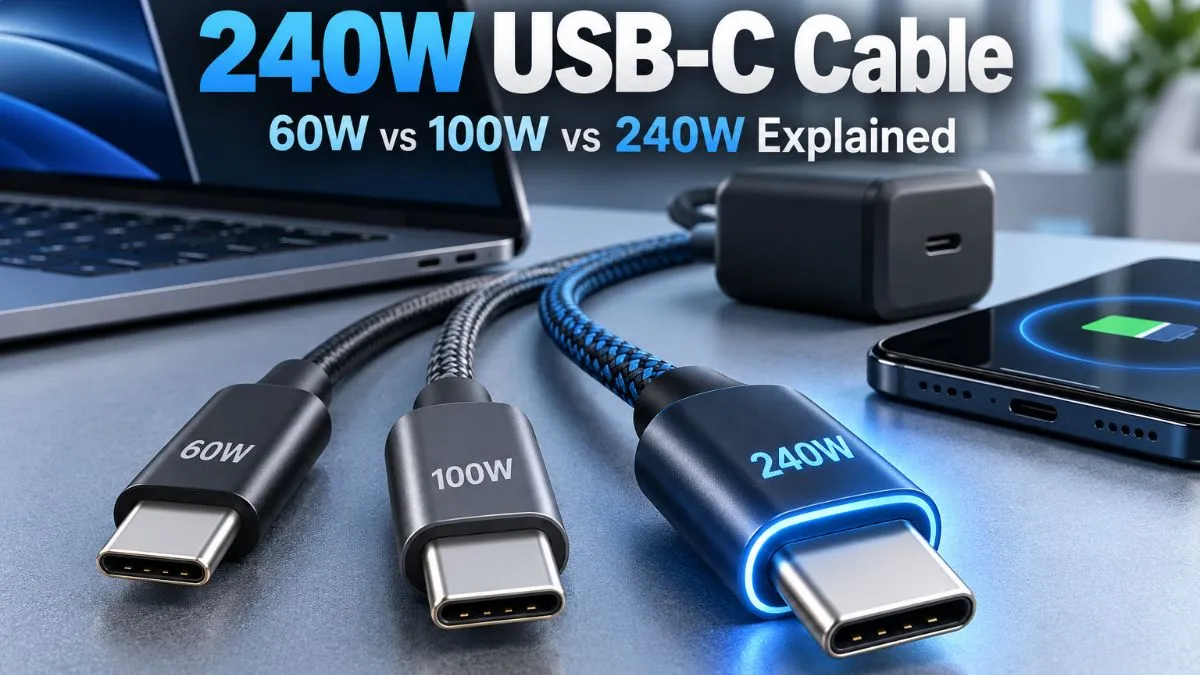
USB-C cables all use the same connector, but they do not all carry the same amount of power. That is why a cable that charges your phone perfectly can become the bottleneck when you connect it to a laptop, dock, or high-wattage charger.
If you are shopping today, the labels can be especially confusing. You will still see 60W, 100W, and 240W USB-C cables on store pages, even though the current USB-IF certification program now uses 60W and 240W power markings for USB-C to USB-C cables.
So, do you actually need a 240W cable? For many phone and tablet users, no. For laptop users, people sharing one cable across several devices, or anyone using USB Power Delivery above 100W, it can make much more sense.
Quick Answer: Do You Need a 240W USB-C Cable?
You need a 240W USB-C cable when your charger and device use USB Power Delivery above 100W. It can also be a sensible choice when you want one modern cable with enough power headroom for phones, tablets, and laptops.
A 240W cable does not force 240W into a device. USB Power Delivery negotiates the amount of power the connected device can accept. A phone connected to a 240W-capable cable will still draw only the power supported by the phone, charger, and charging protocol.
| Cable label | Power capability | Best fit |
|---|---|---|
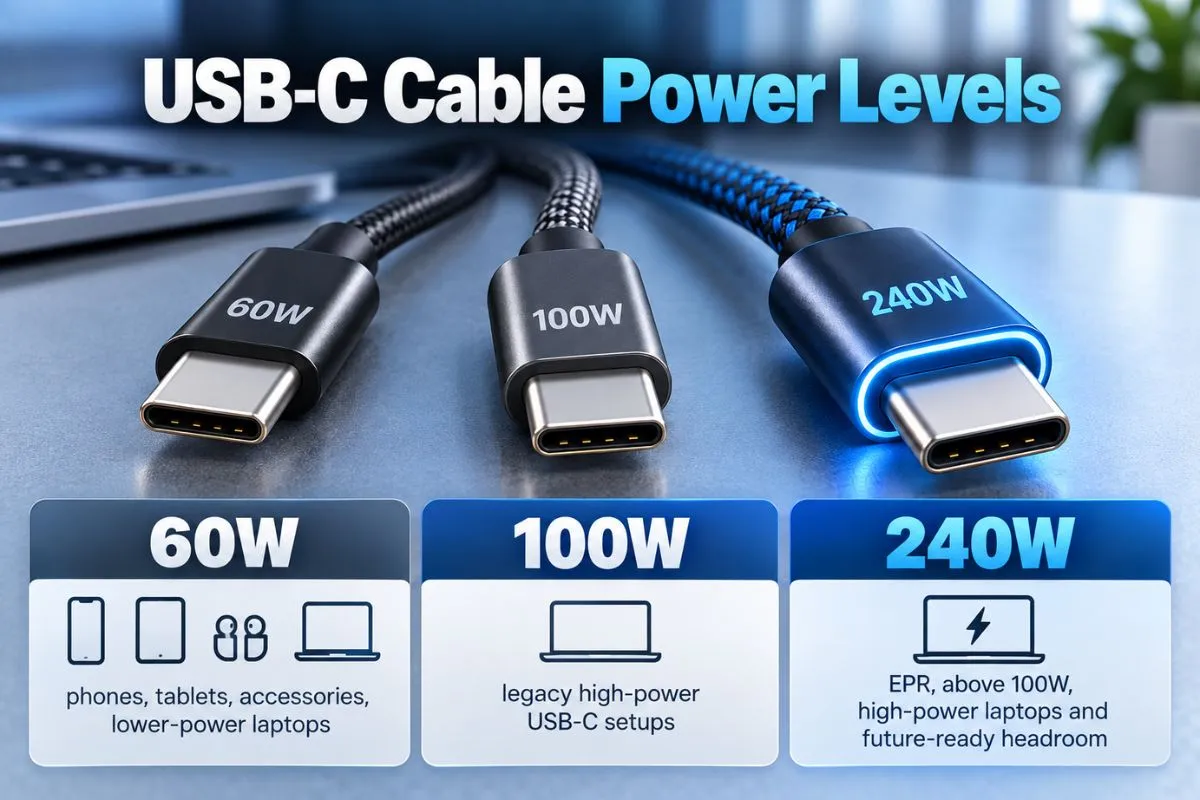
| 60W | Up to 20V / 3A | Phones, tablets, accessories, lower-power USB-C laptops |
| 100W | Legacy 20V / 5A class | Existing laptops and chargers designed around USB PD up to 100W |
| 240W | Up to 48V / 5A with USB PD EPR | High-power laptops, chargers above 100W, and broader power headroom |
There is one important 2026 detail behind that table: 100W cables are still widely sold and can still work with compatible equipment, but USB-IF replaced its 100W USB-C to USB-C cable certification category with 240W EPR cables. Current certified USB-C to USB-C cable power markings are 60W or 240W.
Why Do 100W USB-C Cables Still Exist?
Before USB Power Delivery 3.1, USB PD topped out at 100W using 20V and 5A over a suitable USB-C cable. That is where the familiar “100W USB-C cable” label came from.
USB PD 3.1 expanded the standard with higher fixed voltages. According to the USB Implementers Forum, 28V, 36V, and 48V allow power levels up to 140W, 180W, and 240W respectively.
USB-IF subsequently replaced 100W USB-C to USB-C cable certification with the 240W EPR category. Its current cable and connector guidance requires certified USB-C to USB-C cables to show either a 60W or 240W power capability marking.
That does not suddenly make an older, properly specified 100W cable useless. If your laptop and charger operate within its supported range, it can continue doing its job. The change matters most when you are buying a new cable and trying to understand the current standard.
60W vs 100W vs 240W USB-C: What Actually Changes?
60W USB-C Cables
A 60W USB-C cable supports up to 3A at 20V in the relevant USB PD range. This is enough power for many everyday devices and some lower-power laptops.
A 60W cable can be a good fit when you mainly charge:
- USB-C phones
- tablets
- earbuds and accessories
- power banks within its power range
- lower-power USB-C laptops that do not need more than 60W
The catch appears when the rest of your setup can use more than 60W. A 100W charger does not turn a 60W cable into a 100W cable. The cable becomes part of the charging limit.
100W USB-C Cables
100W USB-C cables are the familiar 5A cables from the earlier USB PD power ceiling. They remain common in stores and in setups built around laptops that charge at 65W, 90W, or 100W.
If you already own a reputable 100W cable and your device never needs more than 100W, there is no automatic reason to throw it away.
However, if you are buying a new high-power USB-C to USB-C cable, the current USB-IF certification direction is 240W EPR rather than a new 100W-certified cable.
240W USB-C Cables
A 240W EPR cable raises the maximum supported USB PD power to 48V at 5A. The current stays at 5A; the higher power ceiling comes from the higher voltage available under Extended Power Range.
That extra capacity matters for devices and chargers designed to operate above the old 100W USB PD limit. It also means the cable itself is less likely to be the power bottleneck when used with lower-power USB-C devices.
What Is USB PD EPR?
EPR stands for Extended Power Range. It is the part of USB Power Delivery that enables power above the earlier 100W ceiling.
USB-IF says USB PD 3.1 introduced fixed 28V, 36V, and 48V levels, enabling up to 140W, 180W, and 240W. Compatible hardware is required across the charging chain; simply connecting a 240W cable does not upgrade a charger or laptop that lacks EPR support.
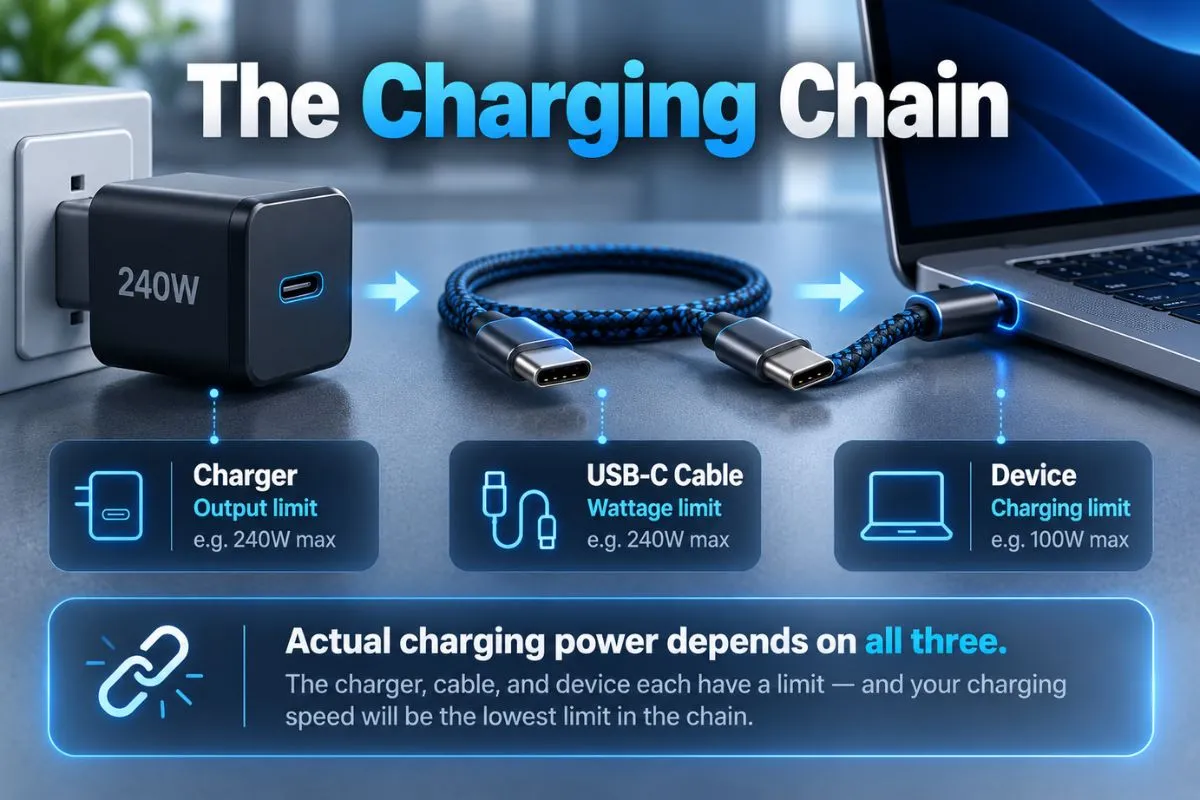
Think of the charging path as:
Charger → Cable → Device
The useful power is determined by what those components can safely negotiate together. A 240W cable gives the connection more cable-side headroom, but it cannot create power the charger does not provide or make a device accept more than it supports.
Do You Need a 240W Cable for a 65W Laptop?
No, not strictly for wattage. A laptop that accepts a maximum of 65W does not suddenly charge at 240W because you use a 240W cable.
But there is a practical wrinkle: a 60W cable cannot provide the full 65W capability of a 65W USB PD setup. If you want the laptop and charger to negotiate above 60W, you need a suitable higher-current cable.
If you are buying new rather than reusing an existing 100W cable, a properly specified 240W cable can cover that 65W use case while also leaving room for higher-power USB-C equipment later.
Do You Need 240W for a 100W USB-C Charger?
If you already have a compatible 100W 5A cable, it can still serve a 100W setup. The charger cannot exceed its own 100W output simply because the cable has a higher rating.
For a new purchase, however, a 240W EPR cable is worth considering because it aligns with the current USB-IF high-power cable category and can also support lower negotiated power levels.
Just remember that 240W power support says nothing by itself about high-speed data or monitor support.
Do You Need a 240W Cable for 140W, 180W, or 240W Charging?
Yes. Once USB Power Delivery goes above 100W, you are in EPR territory and need a compatible 240W EPR cable as part of the setup.
| Device/charger requirement | Cable choice |
|---|---|
| Up to 60W | 60W cable is sufficient for power |
| 65W–100W | Compatible existing 5A/100W cable or 240W cable |
| Above 100W, including 140W/180W/240W EPR | 240W EPR cable required |
The charger and device must support the corresponding power level too. A 240W cable connected to a 100W charger remains a 100W-or-less charging setup.
Does a 240W Cable Charge Your Phone Faster?
Usually not.
If your phone and charger negotiate 20W, 30W, or another supported level below the cable limit, replacing a capable cable with a 240W one does not automatically increase that negotiated power.
This is why buying by the largest wattage number alone can be misleading. The cable’s rating is a maximum capability, not a guaranteed charging speed.
Does 240W Mean Faster Data Transfer?
No. Power rating and data speed are separate specifications.
A cable can support 240W charging while offering only basic USB data speeds. Another cable may support high-speed USB data, display output, or USB4 while having a different set of capabilities.
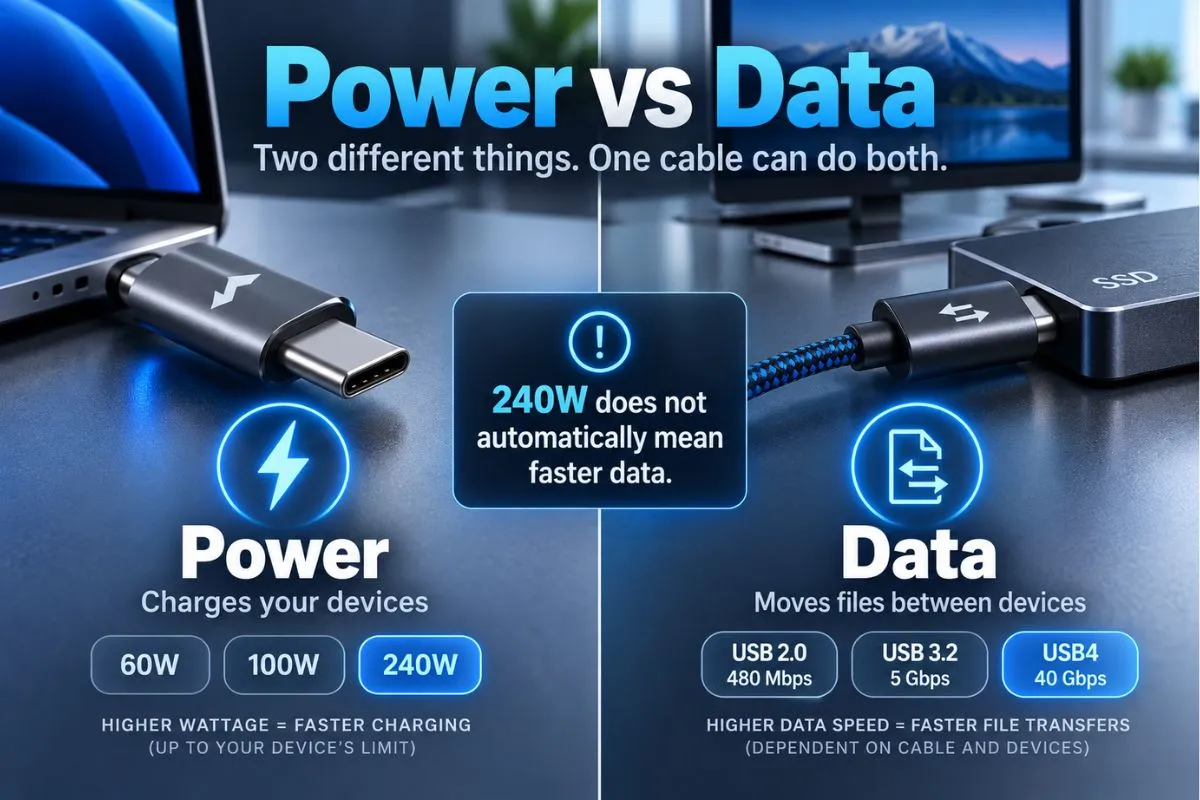
USB-IF’s current labeling guidance reflects this distinction: certified cables above basic High-Speed USB can carry both a data-rate marking and a power marking.
If you plan to use the same cable with an external SSD, USB-C monitor, dock, or other high-bandwidth device, check the advertised data rate and video capabilities separately. Never assume “240W” means “fastest USB cable.”
What Is an E-Marker, and Why Does It Matter?
Higher-current USB-C cables use electronic marking so connected hardware can identify the cable’s capabilities during negotiation. This is especially important in 5A and EPR power scenarios.
In simple terms, the charging system needs to know that the cable is designed for the requested power level before using it at that level.
For buyers, the practical lesson is easier than the electrical detail: avoid treating an unverified “240W” printed in a marketplace title as proof by itself. Look for clear specifications and, when a product claims USB-IF certification, verify that claim rather than assuming every USB-C logo is official.
How to Choose the Right USB-C Cable
Before buying, check four things in this order:
- Your device’s charging input. Find the maximum USB-C power it actually accepts.
- Your charger’s output. Check the wattage available from the exact USB-C port you plan to use. Multiport chargers may reduce output when several devices are connected.
- The cable’s power capability. Make sure it covers the power the charger and device can negotiate.
- Data and display requirements. If you use SSDs, docks, or monitors, verify data speed and video support separately.
This avoids paying for specifications you do not need while also preventing the cable from quietly becoming the weakest link.
Should You Buy 240W Even If You Do Not Need It Yet?
It depends on how you use your cables.
If you only charge a phone, tablet, and small accessories, a good 60W cable may already cover everything you own. There is little benefit in replacing a working cable just to get a larger number on the package.
If you regularly charge laptops, share cables between devices, or are buying a new high-power USB-C cable anyway, 240W can be a practical choice. It gives you more power headroom and fits the current USB-IF high-power certification category.
But do not sacrifice the features you actually need. A 240W charging-focused cable with slow data is a poor replacement for a USB4 cable if your main job is moving large files or connecting a high-resolution display.
How to Identify a Properly Certified USB-C Cable
USB-IF says USB-C to USB-C cables going through its compliance program must carry a 60W or 240W power marking. Cables supporting faster data modes also have corresponding performance markings under the program.
USB-IF also states that use of its certified USB logos is tied to compliance testing and its trademark requirements.
If certification matters to you, the safest approach is to check the manufacturer’s exact model and USB-IF listing rather than relying only on retailer wording.
GadgetStick Pro Tip
If you are buying a new USB-C cable for a laptop, do not choose by the biggest wattage number alone. Check the laptop’s maximum USB-C charging input first, then the charger’s exact port output, and finally the cable’s data or display requirements. A 240W cable can give you useful power headroom, but it cannot fix a slow charger or add USB4 features by itself.
If you are troubleshooting a laptop setup rather than choosing a cable, our guides on charging a laptop through a USB-C hub and powered vs bus-powered USB-C hubs explain the rest of the charging chain.
Frequently Asked Questions
Is a 240W USB-C cable safe for a phone?
Yes, when it is a properly made compatible USB-C cable. The 240W figure is the cable’s maximum power capability, not the amount of power automatically sent to the phone. The phone and charger negotiate the supported charging level.
Will a 240W cable make a 65W charger faster?
No. A 65W charger remains limited by its own output and by what the connected device accepts. The 240W cable simply has a higher power ceiling.
Can I use a 100W USB-C cable in 2026?
Yes, an existing properly specified 100W cable can still work with compatible equipment operating within its supported range. USB-IF’s current certification scheme, however, uses 60W and 240W categories for USB-C to USB-C cable power markings.
Is a 240W cable required for 140W USB-C charging?
Yes. USB PD power above 100W uses Extended Power Range, so a compatible 240W EPR cable is required along with a charger and device that support the relevant EPR power level.
Does a 240W USB-C cable support USB4?
Not necessarily. Charging power and data performance are separate. Check for an explicit USB data-rate or USB4 specification if you need high-speed transfers, docking, or display connectivity.
Why does my laptop charge slowly with a powerful charger?
The cable may be limiting the connection, but it is not the only possibility. The laptop’s charging limit, charger port output, USB-C hub overhead, and multiport power sharing can also reduce the power reaching the laptop.
Final Answer
Most people do not need a 240W USB-C cable simply because 240W is available. Match the cable to the highest power your charger and device can actually negotiate.
If your entire setup stays at 60W or below, a properly specified 60W cable is enough. If you already own a good 100W 5A cable and use it with compatible 65W–100W equipment, there is no need to replace it just because newer 240W cables exist. For charging above 100W—or when buying a new high-power cable and you want more headroom—a properly specified 240W EPR cable is the better fit.
Just do not use wattage as a shortcut for every USB-C feature. A 240W rating does not automatically mean faster data transfers, USB4 support, or better display capabilities.
How We Researched This Comparison
We built this comparison around primary technical guidance rather than retailer wattage claims. We reviewed current USB Implementers Forum documentation covering USB Power Delivery, Extended Power Range, USB-C cable power markings, and cable/connector compliance guidance.
We then compared those requirements with the common 60W, legacy 100W, and current 240W labels consumers encounter when shopping for USB-C cables. The goal was to separate three things that are often mixed together: the cable’s maximum power capability, the power a charger can provide, and the power a device can actually accept.
We did not perform hands-on electrical testing of individual cable models for this guide. Product-specific charging performance can vary, so buyers should verify the specifications and certification of the exact cable, charger, and device they plan to use.
Primary sources reviewed:
- USB-IF — USB Charger (USB Power Delivery)
- USB-IF — Cables and Connectors
- USB-IF — Cable and Connector Compliance Updates
Editorial Note
This article is independent informational guidance based on the USB standards and documentation available when it was written. GadgetStick does not treat a manufacturer’s or retailer’s “240W” label alone as proof of USB-IF certification, and no individual cable is being endorsed here solely because of its advertised wattage.
USB specifications, certification programs, and individual device requirements can change over time. For a specific product, check the manufacturer’s current documentation and, when USB-IF certification is claimed, verify the exact model through official USB-IF resources.
