
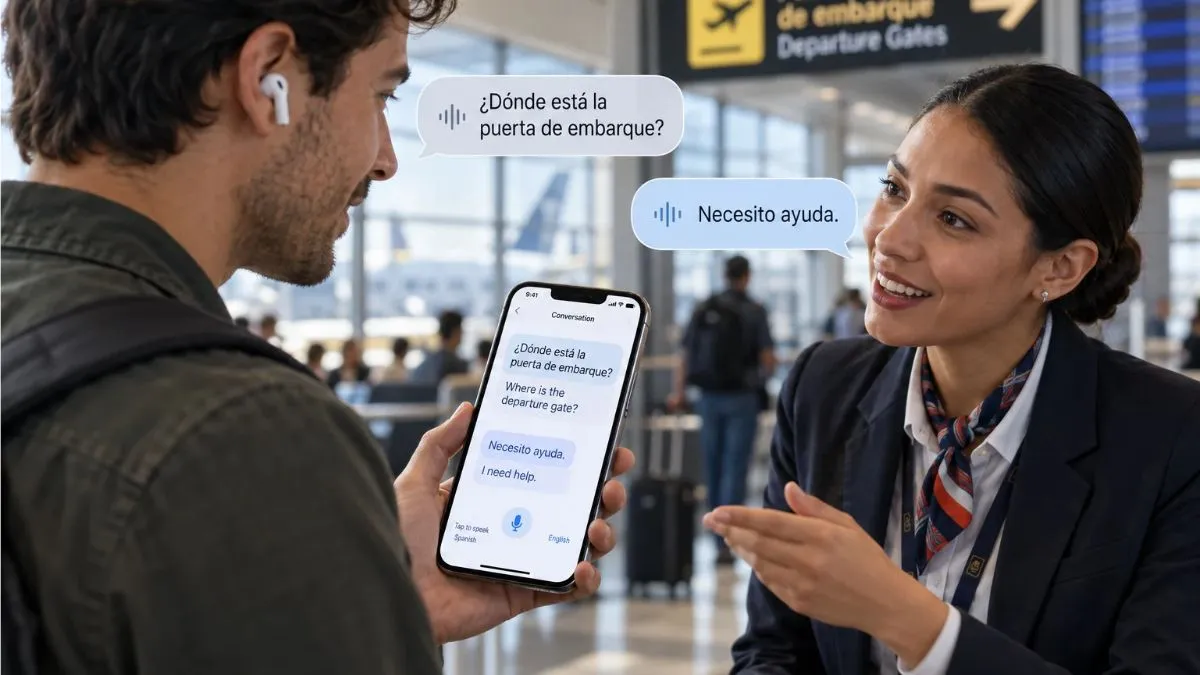
AirPods 5 can translate an in-person conversation while you are wearing them, letting you hear another person’s speech in your preferred language without constantly looking down at your iPhone.
But Live Translation is not something the earbuds handle entirely on their own. Apple currently exposes the feature as Live Translation (Beta) in AirPods settings.
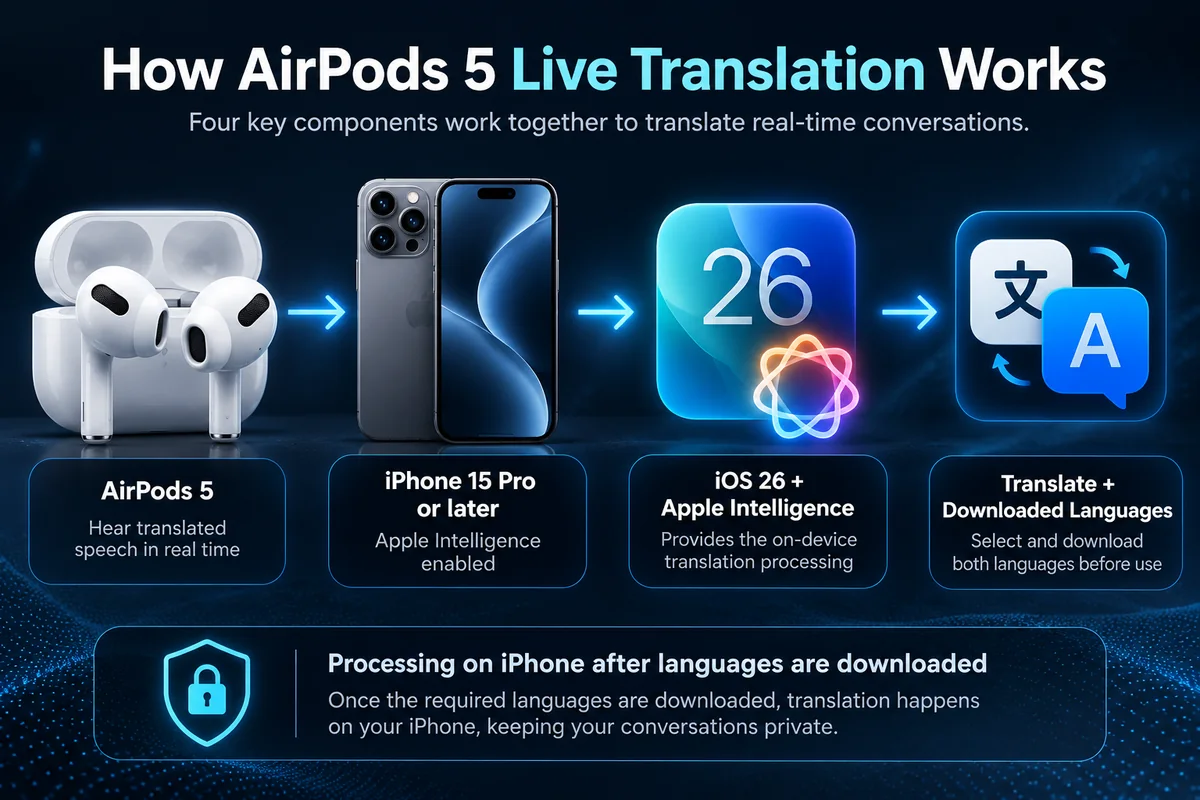
The feature relies on a compatible Apple Intelligence-enabled iPhone, supported AirPods, downloaded language packs, current software, and Apple’s Translate app. Once everything is set up, the translated conversation can play through your AirPods while the translated dialogue also appears on your iPhone. Apple Support. That distinction matters because owning AirPods 5 by itself does not guarantee that Live Translation will work with every iPhone, language, or region.
Quick Answer: What Do You Need for AirPods 5 Live Translation?
To use Live Translation with AirPods 5, Apple currently requires:
- AirPods 5 — either current model
- an iPhone 15 Pro or later
- Apple Intelligence enabled
- iOS 26 or later
- the latest available AirPods firmware
- Apple’s Translate app
- the required languages downloaded to your iPhone
Apple lists AirPods 5 among the supported AirPods models and says an Apple Intelligence-enabled iPhone 15 Pro or later is required. Apple Support.
| Requirement | What You Need |
|---|---|
| AirPods | AirPods 5 |
| iPhone | iPhone 15 Pro or later |
| Software | iOS 26 or later |
| Apple Intelligence | Must be enabled |
| AirPods firmware | Latest version |
| App | Apple Translate |
| Languages | Download both conversation languages |
| Internet | Not required for downloaded language processing |
One particularly useful detail: after the required languages are downloaded, Apple says the translation processing takes place on your iPhone, keeping the conversation data private on the device. Apple Support.
How AirPods 5 Live Translation Actually Works
AirPods are only one part of the system.
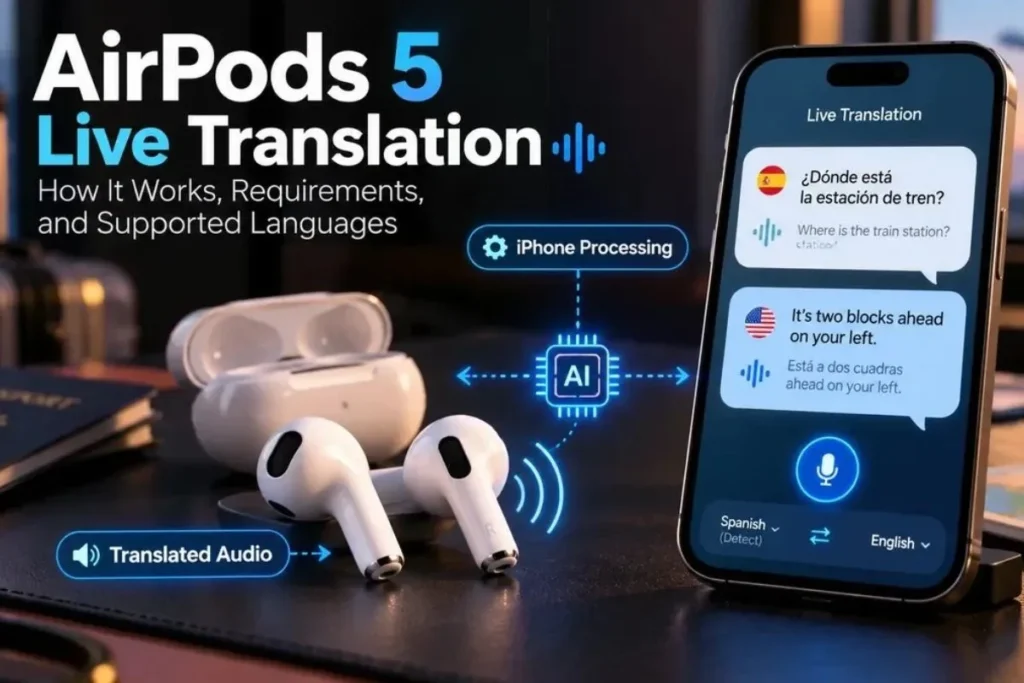
Your iPhone handles the intelligence behind the translation, while the AirPods give you a natural way to hear the translated speech.
Person speaks → iPhone processes speech → Translation is generated → You hear it through AirPods 5
The translated dialogue can also appear on your iPhone screen. Apple Support. This is much closer to having an interpreter in your ear than simply using traditional text translation.
But there is still a phone doing the heavy lifting in the background.
You Need to Download the Languages First
Before starting a conversation, you need to download:
- the language the other person is speaking
- the language you want to hear
For example, if the other person speaks Spanish and you want to hear English, both Spanish and English need to be downloaded.
Apple says that once those languages are downloaded, translation processing happens on the iPhone. Apple Support. This also makes Live Translation considerably more useful while travelling, where mobile data or Wi-Fi may not always be reliable.
Which Languages Does AirPods 5 Live Translation Support?
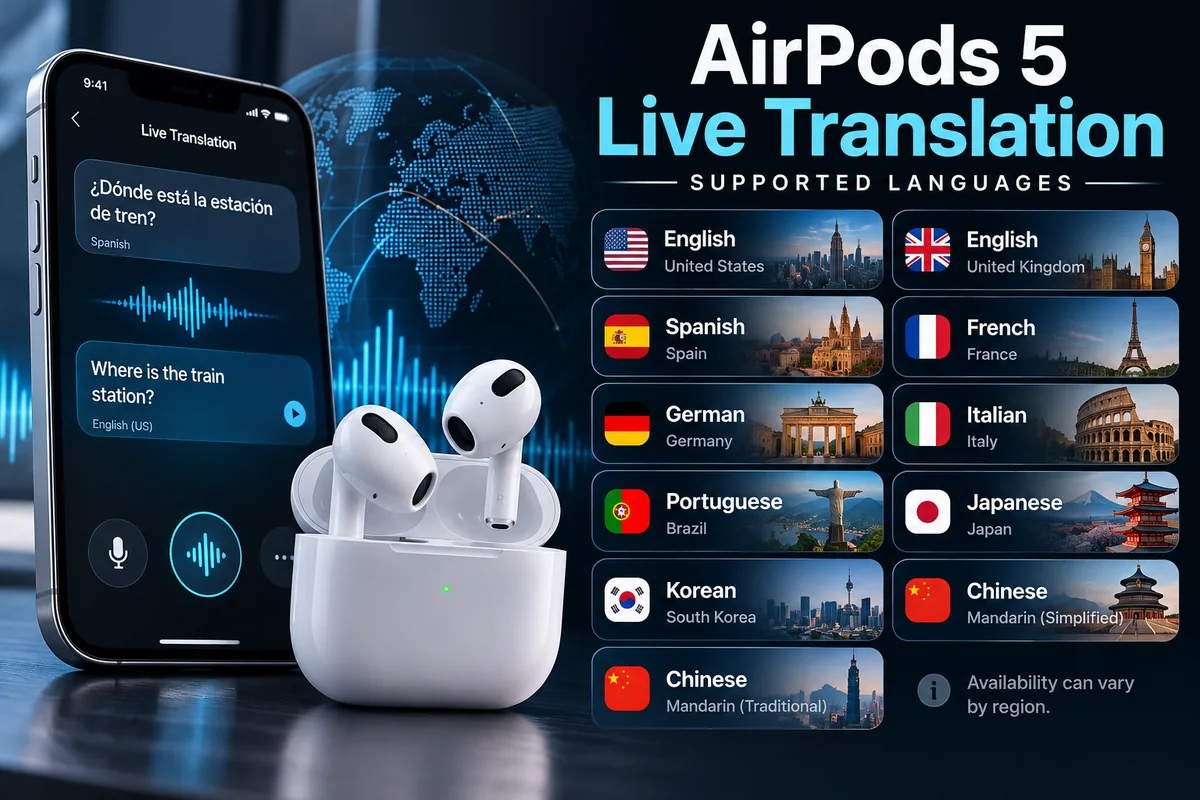
Apple currently lists the following languages for Live Translation with AirPods 5:
| Supported Language | Variant |
|---|---|
| Chinese | Mandarin, Simplified |
| Chinese | Mandarin, Traditional |
| English | United States |
| English | United Kingdom |
| French | France |
| German | Germany |
| Italian | Italy |
| Japanese | Japan |
| Korean | South Korea |
| Portuguese | Brazil |
| Spanish | Spain |
Apple notes that feature availability can still vary by language and region, so seeing your language on this list does not automatically mean every feature is available everywhere.
That is worth checking before relying on Live Translation for an international trip.
Which iPhones Work With AirPods 5 Live Translation?
This is where many buyers can get caught out.
AirPods 5 may work normally as wireless earbuds with older iPhones, but Live Translation has stricter requirements.
Apple currently specifies an Apple Intelligence-enabled iPhone 15 Pro, iPhone 15 Pro Max, or iPhone 16 series and later for Live Translation.
In practical terms:
| iPhone | Live Translation With AirPods 5 |
|---|---|
| iPhone 15 | No |
| iPhone 15 Plus | No |
| iPhone 15 Pro | Yes |
| iPhone 15 Pro Max | Yes |
| iPhone 16 series | Yes |
| Newer compatible models | Yes, subject to Apple Intelligence support |
The reason is not Bluetooth compatibility.
It is Apple Intelligence support.
So if you own an older iPhone, your AirPods 5 can still function as earbuds, but the translation feature may remain unavailable.
How to Set Up Live Translation on AirPods 5
Apple’s setup is fairly straightforward once the requirements are met.
Step 1: Update Your Devices
Make sure:
- your iPhone is running the latest compatible version of iOS
- your AirPods 5 have the latest firmware
- Apple Intelligence is turned on
Apple specifically requires the latest AirPods firmware for Live Translation. Apple Support.
Step 2: Install Apple Translate
You need Apple’s Translate app installed on the iPhone.
If you removed it previously, reinstall it before continuing.
Step 3: Download Both Languages
Open Translate and download:
- your preferred language
- the language spoken by the other person
This is important because Live Translation depends on those downloaded language models.
Step 4: Put on Your AirPods 5
Make sure the AirPods are connected to the correct iPhone.
Once Live Translation starts, Apple says Adaptive Audio may automatically turn on if it was not already enabled. Apple Support.
Step 5: Start Live Translation
Apple currently provides several ways to start it on compatible devices, including using the Translate app, Siri, or supported controls depending on your setup. Apple’s AirPods 5 announcement also describes starting the feature by pressing both stems or asking Siri to begin Live Translation. Apple Once active, you can listen while the other person speaks naturally.
Does the Other Person Also Need AirPods?
No.
This is one of the most useful parts of the feature.
If the person you are talking to does not have compatible AirPods, they can simply speak normally.
You hear the translated speech through your AirPods.
When you reply, your iPhone can show the translated text or play the translated response through its speaker so the other person can understand you. Apple Support. That makes the feature useful for situations such as:
- travelling
- hotels
- restaurants
- taxis
- directions
- shopping
- casual conversations abroad
The other person does not need to be part of the Apple ecosystem.
What Happens If Both People Have Compatible AirPods?
This is where Live Translation becomes much more natural.
If both people have supported AirPods and compatible iPhones, Apple says each participant can hear the conversation translated into their preferred language. Apple Support. Instead of repeatedly passing one phone back and forth, both people can speak more naturally.
Each person still needs their own compatible setup.
That means compatible:
- AirPods
- iPhone
- software
- language downloads
Does AirPods 5 Live Translation Work Without Internet?
Once the required language packs have been downloaded, Apple says the processing happens on your iPhone. Apple Support. That makes the feature much less dependent on an active internet connection during the actual conversation.
There is still an important distinction, though: You need to prepare the languages beforehand.
If you arrive somewhere and have not downloaded the required language yet, you may need a network connection to complete that setup.
GadgetStick Tip
Before travelling, download every language you are likely to need while you still have reliable Wi-Fi.
Do not wait until you are standing in an airport, hotel lobby, or train station.
Does Live Translation Work in Noisy Places?
Background noise can make speech recognition harder for any translation system.
Apple specifically suggests using the iPhone microphone to improve translation input in noisy environments. Apple Support. That can matter in places such as:
- airports
- stations
- busy streets
- restaurants
- conferences
AirPods can make the translated output convenient, but the original speech still needs to be captured clearly enough for the system to understand it.
Is AirPods 5 Live Translation Private?
Apple says that after the required languages are downloaded, the processing takes place on your iPhone and your conversation data remains private on the device. Apple Support. That is an important distinction from cloud-only translation systems.
For sensitive conversations, though, users should still remember that they are using software to process speech.
Live Translation is useful technology, but it should not automatically replace a professional interpreter for legal, medical, contractual, or other high-stakes situations.
AirPods 5 Are Not the Only AirPods That Support Live Translation
Live Translation is not exclusive to AirPods 5.
Apple currently lists support for:
- AirPods 4 with Active Noise Cancellation
- AirPods 5
- AirPods Pro 2
- AirPods Pro 3
- AirPods Max 2
when paired with a compatible Apple Intelligence-enabled iPhone and current software. Apple Support. This matters if you already own supported AirPods.
You may not need to buy AirPods 5 solely to gain Live Translation.
That is exactly the type of feature distinction worth checking before upgrading.
What AirPods 5 Add Beyond Translation
Live Translation is only one part of the AirPods 5 feature set.
Apple also lists features including Active Noise Cancellation, Adaptive Audio, and more in the official AirPods 5 technical specifications:
- Active Noise Cancellation
- Adaptive Audio
- Transparency mode
- Conversation Awareness
- Personalized Spatial Audio
- Adaptive EQ
- Voice Isolation
- studio-quality audio recording
AirPods 5 are powered by Apple’s H2 chip, which supports many of these computational audio features. Apple So the decision to upgrade should probably be based on the complete package rather than translation alone.
Common AirPods 5 Live Translation Problems
Live Translation Does Not Appear
Check whether your iPhone actually supports Apple Intelligence.
An older iPhone can still connect to AirPods 5 without supporting Live Translation.
Your Language Is Missing
Not every language is supported.
Apple currently supports a relatively limited set of languages, and regional availability can vary.
Translation Is Not Starting
Check:
- AirPods firmware
- iOS version
- Apple Intelligence
- Translate app
- downloaded languages
- AirPods connection
Missing any one of those can prevent the complete setup from working.
Translation Struggles in a Busy Environment
Try moving your iPhone closer to the person speaking or use the iPhone microphone for better input.
Apple specifically recommends this option for noisy environments. Apple Support.
The GadgetStick Pro Tip
If Live Translation is one of the reasons you are considering AirPods 5, check your iPhone before buying the earbuds.
The compatibility bottleneck is often the phone, not the AirPods.
Someone with an iPhone 15 Pro can use the feature.
Someone with a standard iPhone 15 cannot currently meet Apple’s Apple Intelligence requirement for Live Translation, even though both phones have USB-C and can pair with AirPods normally. Apple Support. And if you travel regularly, download your language packs before leaving home.
It turns Live Translation from a feature you hope will work into something you are actually prepared to use.
Frequently Asked Questions
Do AirPods 5 support Live Translation?
Yes. Apple lists Live Translation as a built-in AirPods 5 capability when the earbuds are paired with a compatible Apple Intelligence-enabled iPhone and required software. Apple
Does AirPods 5 Live Translation work with iPhone 15?
The standard iPhone 15 does not meet Apple’s current Apple Intelligence requirement. Apple specifies iPhone 15 Pro or later compatible models for Live Translation. Apple Support.
Do both people need AirPods?
No. One person can wear compatible AirPods while the other speaks normally. Your iPhone can display or play your translated reply for them. Apple Support.
Can two people both use AirPods for translation?
Yes, provided both people have supported AirPods, compatible iPhones, current software, and the required setup. Each person can hear the conversation translated into their preferred language. Apple Support.
Does Live Translation require internet?
After both required languages are downloaded, Apple says translation processing occurs on the iPhone. Apple Support.
Is Live Translation exclusive to AirPods 5?
No. Several current AirPods models support the feature, including AirPods 4 with ANC and recent AirPods Pro models. Apple Support.
Final Answer
AirPods 5 Live Translation is more than a simple earbud feature.
The AirPods provide the natural listening experience, but an Apple Intelligence-enabled iPhone does the important processing behind it.
For the feature to work, you need compatible AirPods, an iPhone 15 Pro or later supported model, current software, Apple Intelligence enabled, the Translate app, and downloaded language packs. Apple Support. Once configured, it can be genuinely useful for travel and everyday conversations because the other person does not need AirPods of their own.
The main limitation today is compatibility: supported iPhones, languages, and regions are still narrower than the AirPods 5 marketing headline might initially suggest.
Check those three things first, and you will know whether Live Translation is actually useful for your setup.
How We Researched This Guide
This guide was researched primarily from Apple’s current AirPods 5 technical specifications, Apple Support documentation, Live Translation setup guidance, and feature-availability documentation.
We used Apple’s documentation to verify compatible AirPods, iPhone requirements, supported languages, software requirements, privacy behavior, and how conversations work when one or both participants use compatible AirPods. Apple Support. GadgetStick does not claim hands-on testing unless the product or feature has actually been tested by our team.
Editorial Note
Apple can expand supported devices, languages, and regions through future software updates.
Always check Apple’s current feature-availability page before relying on Live Translation for a specific language or country.
